
-
×
 Survive and Thrive in Extreme Volatility Class with Don Kaufman
1 × $6.00
Survive and Thrive in Extreme Volatility Class with Don Kaufman
1 × $6.00 -
×
 Cyzners Trading Journal (Algo Trading)
1 × $5.00
Cyzners Trading Journal (Algo Trading)
1 × $5.00 -
×
 Options Made Easy with Optionpit
1 × $62.00
Options Made Easy with Optionpit
1 × $62.00 -
×
 The Ultimate Systems Trader (UST) Advanced - Trading with Rayner
1 × $62.00
The Ultimate Systems Trader (UST) Advanced - Trading with Rayner
1 × $62.00 -
×
 Options for Long Term Trading & Hedging with Option Pit
1 × $39.00
Options for Long Term Trading & Hedging with Option Pit
1 × $39.00 -
×
 Market Profile Video with FutexLive
1 × $6.00
Market Profile Video with FutexLive
1 × $6.00 -
×
 Forex Advanced with Prophetic Pips Academy
1 × $5.00
Forex Advanced with Prophetic Pips Academy
1 × $5.00 -
×
 Fractal Energy Trading with Doc Severson
1 × $6.00
Fractal Energy Trading with Doc Severson
1 × $6.00 -
×
 Master Trader Course
1 × $23.00
Master Trader Course
1 × $23.00 -
×
 Gold XAUUSD Trading Strategy - The Gold Box with The Trading Guide
1 × $5.00
Gold XAUUSD Trading Strategy - The Gold Box with The Trading Guide
1 × $5.00 -
×
 Forex Millionaire Course with Willis University
1 × $6.00
Forex Millionaire Course with Willis University
1 × $6.00 -
×
 Full Credit Spreads with Ryan Litchfield
1 × $6.00
Full Credit Spreads with Ryan Litchfield
1 × $6.00 -
×
 Learn To Trade with Tori Trades
1 × $8.00
Learn To Trade with Tori Trades
1 × $8.00 -
×
![Robert Miner-Complete Price Tutorial Series [5 Videos (AVI)] img](https://www.totozon.com/wp-content/uploads/2024/05/Robert-Miner-Complete-Price-Tutorial-Series-5-Videos-AVI-img.png) Robert Miner-Complete Price Tutorial Series [5 Videos (AVI)]
1 × $6.00
Robert Miner-Complete Price Tutorial Series [5 Videos (AVI)]
1 × $6.00 -
×
 Cryptocurrency Investment Course 2021 Fund your Retirement with Suppoman
1 × $5.00
Cryptocurrency Investment Course 2021 Fund your Retirement with Suppoman
1 × $5.00 -
×
 Oil Trading Academy Code 3 Video Course
1 × $6.00
Oil Trading Academy Code 3 Video Course
1 × $6.00 -
×
 Algo Trading Masterclass with Ali Casey - StatOasis
1 × $23.00
Algo Trading Masterclass with Ali Casey - StatOasis
1 × $23.00 -
×
 Elite Trader Package
1 × $31.00
Elite Trader Package
1 × $31.00 -
×
 MTI - Basics UTP
1 × $6.00
MTI - Basics UTP
1 × $6.00 -
×
 Dan Sheridan 2011 Calendar Workshop
1 × $6.00
Dan Sheridan 2011 Calendar Workshop
1 × $6.00 -
×
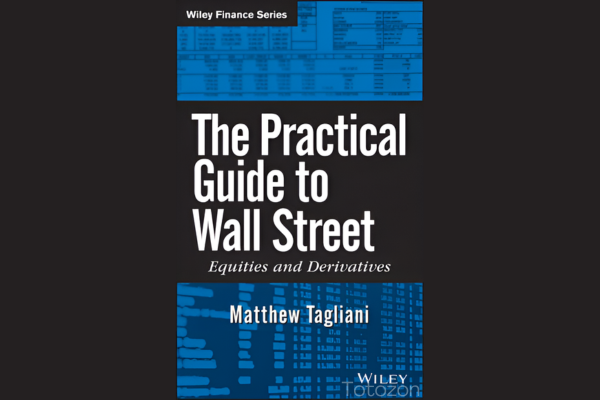 The Practical Guide to Wall Street with Matthew Tagliani
1 × $6.00
The Practical Guide to Wall Street with Matthew Tagliani
1 × $6.00 -
×
 Play to Win with David La Piana & Michaela Hayes
1 × $6.00
Play to Win with David La Piana & Michaela Hayes
1 × $6.00 -
×
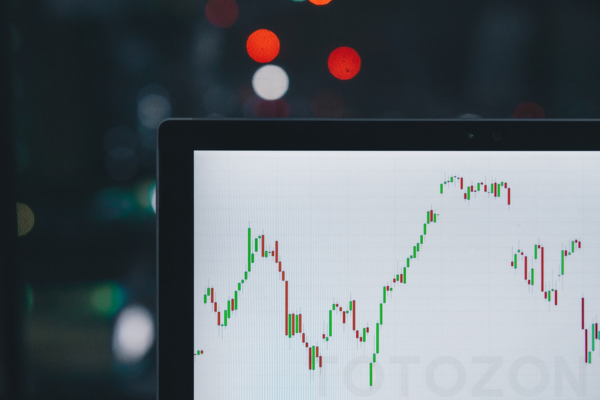 Main Online Course with FestX
1 × $5.00
Main Online Course with FestX
1 × $5.00 -
×
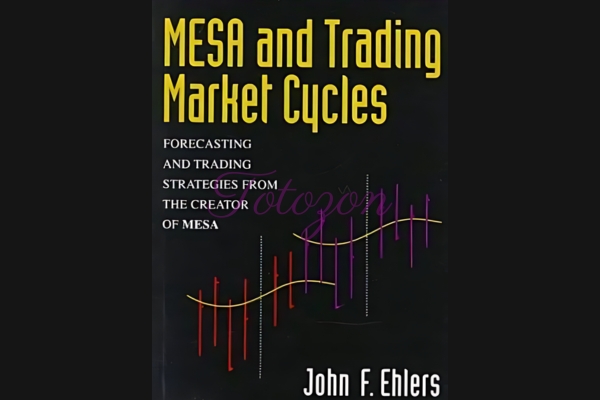 Mesa & Trading Market Cycles (1st Edition) with John Ehlers & Perry Kaufman
1 × $6.00
Mesa & Trading Market Cycles (1st Edition) with John Ehlers & Perry Kaufman
1 × $6.00 -
×
 Catching Trend Reversals
1 × $6.00
Catching Trend Reversals
1 × $6.00 -
×
 Double Your Capital In 30 Days(2016) with GFA Flips
1 × $5.00
Double Your Capital In 30 Days(2016) with GFA Flips
1 × $5.00 -
×
 Ichimokutrade - Ichimoku 101
1 × $15.00
Ichimokutrade - Ichimoku 101
1 × $15.00 -
×
 Mastering Fundamental Analysis with Michael Thomsett
1 × $6.00
Mastering Fundamental Analysis with Michael Thomsett
1 × $6.00 -
×
 Paradox Forex Course
1 × $5.00
Paradox Forex Course
1 × $5.00 -
×
 High Probability Option Trading - Seasonal Straddles
1 × $6.00
High Probability Option Trading - Seasonal Straddles
1 × $6.00 -
×
 The Complete XAUUSD GOLD Forex Scalping System On Real Trading Account with Forex Lia
1 × $5.00
The Complete XAUUSD GOLD Forex Scalping System On Real Trading Account with Forex Lia
1 × $5.00 -
×
 Pro Tradeciety FOREX TRADING ACADEMY
1 × $31.00
Pro Tradeciety FOREX TRADING ACADEMY
1 × $31.00 -
×
 Geometric Angles Applied To Modern Markets with Sean Avidar
1 × $39.00
Geometric Angles Applied To Modern Markets with Sean Avidar
1 × $39.00 -
×
 Detecting Trend Direction & Strength (Article) with Barbara Star
1 × $6.00
Detecting Trend Direction & Strength (Article) with Barbara Star
1 × $6.00 -
×
 Newsbeat Bandits Program July 2019
1 × $23.00
Newsbeat Bandits Program July 2019
1 × $23.00 -
×
 Futures Broker Home Study Course CTA Series 3 (Fourteenth Ed.) with Center for Futures Education
1 × $6.00
Futures Broker Home Study Course CTA Series 3 (Fourteenth Ed.) with Center for Futures Education
1 × $6.00 -
×
 Offensive & Defensive Strengths of Stocks, Groups & Sectors Gary Anderson
1 × $6.00
Offensive & Defensive Strengths of Stocks, Groups & Sectors Gary Anderson
1 × $6.00 -
×
 How to Call the Top in a Stock (To the Penny!) and Earn 9-11% Annualized Cash Yields Doing It with Dan Ferris
1 × $6.00
How to Call the Top in a Stock (To the Penny!) and Earn 9-11% Annualized Cash Yields Doing It with Dan Ferris
1 × $6.00 -
×
 TRADING NFX Course with Andrew NFX
1 × $5.00
TRADING NFX Course with Andrew NFX
1 × $5.00 -
×
 The Bomb & Bullet Trade Systems 2022 with Guerrilla Trading
1 × $10.00
The Bomb & Bullet Trade Systems 2022 with Guerrilla Trading
1 × $10.00 -
×
 Small Account Growth Class – Strategies Course
1 × $23.00
Small Account Growth Class – Strategies Course
1 × $23.00 -
×
 Essentials in Quantitative Trading QT01 By HangukQuant's
1 × $23.00
Essentials in Quantitative Trading QT01 By HangukQuant's
1 × $23.00 -
×
 Home Run Options Trading Course with Dave Aquino - Base Camp Trading
1 × $11.00
Home Run Options Trading Course with Dave Aquino - Base Camp Trading
1 × $11.00 -
×
 Bond Market Course with The Macro Compass
1 × $15.00
Bond Market Course with The Macro Compass
1 × $15.00 -
×
 The Best Option Trading Course with David Jaffee - Best Stock Strategy
1 × $15.00
The Best Option Trading Course with David Jaffee - Best Stock Strategy
1 × $15.00
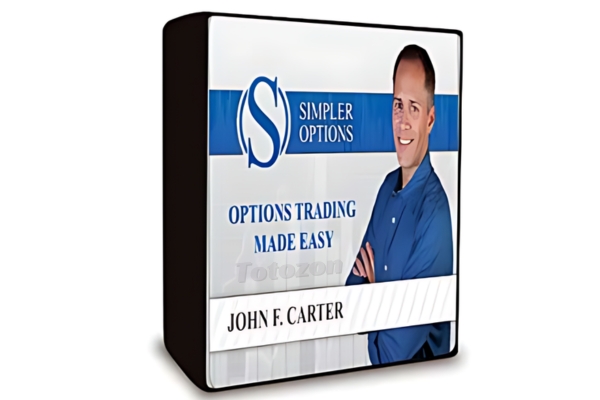
TTM Trend Anchor Indicator for Tradestation & MultiCharts
$6.00
File Size: Coming soon!
Delivery Time: 1–12 hours
Media Type: Online Course
TTM Trend Anchor Indicator for Tradestation & MultiCharts
In the world of trading, having the right tools can make a significant difference in your success. One such tool is the TTM Trend Anchor Indicator. This powerful indicator is available for both Tradestation and MultiCharts, providing traders with a robust method for identifying and capitalizing on market trends. In this article, we will delve into the features, benefits, and practical applications of the TTM Trend Anchor Indicator.
Introduction to the TTM Trend Anchor Indicator
What is the TTM Trend Anchor Indicator?
The TTM Trend Anchor Indicator is a technical analysis tool designed to help traders identify the direction and strength of market trends. Developed by John Carter, this indicator is part of the TTM suite of tools, known for their effectiveness in enhancing trading strategies.
Why Use the TTM Trend Anchor Indicator?
This indicator simplifies the process of trend identification, allowing traders to make more informed decisions. It is particularly useful for those trading on Tradestation and MultiCharts platforms, offering seamless integration and ease of use.
Core Features of the TTM Trend Anchor Indicator
Color-Coded Signals
The indicator uses color-coded signals to represent different market conditions:
- Green Bars: Indicate a strong uptrend.
- Red Bars: Indicate a strong downtrend.
- Blue Bars: Indicate a neutral or sideways market.
Customizable Settings
Traders can customize the settings to suit their trading style and preferences. This includes adjusting the sensitivity of the indicator to better align with specific market conditions.
Real-Time Analysis
The TTM Trend Anchor Indicator provides real-time analysis, allowing traders to react swiftly to market changes and capitalize on emerging trends.
Benefits of Using the TTM Trend Anchor Indicator
Enhanced Trend Identification
By providing clear and easy-to-understand signals, the TTM Trend Anchor Indicator helps traders quickly identify the direction of the trend, reducing the risk of making trades against the market direction.
Improved Decision Making
With accurate trend information at their fingertips, traders can make better-informed decisions, leading to potentially higher profits and reduced losses.
Versatility Across Markets
The indicator is versatile and can be used across various markets, including stocks, forex, commodities, and futures. This makes it a valuable tool for traders in different market segments.
Setting Up the TTM Trend Anchor Indicator
For Tradestation Users
- Download and Install: Ensure you have the TTM Trend Anchor Indicator downloaded and installed on your Tradestation platform.
- Apply to Chart: Open your chart, go to the indicator section, and apply the TTM Trend Anchor Indicator.
- Adjust Settings: Customize the settings as per your trading strategy.
For MultiCharts Users
- Download and Install: Similar to Tradestation, download and install the indicator on your MultiCharts platform.
- Add to Chart: Apply the indicator to your desired chart.
- Customize Settings: Modify the settings to match your trading style and market conditions.
Practical Applications of the TTM Trend Anchor Indicator
Identifying Entry and Exit Points
The color-coded signals make it easy to identify optimal entry and exit points. For instance, entering a trade when the bars turn green and exiting when they turn red can be a straightforward strategy.
Trend Confirmation
Use the indicator to confirm trends identified through other analysis methods. This double-checking process can increase the accuracy of your trades.
Combining with Other Indicators
For more robust trading strategies, combine the TTM Trend Anchor Indicator with other indicators such as moving averages, RSI, or MACD.
Advanced Strategies Using the TTM Trend Anchor Indicator
Swing Trading
Swing traders can use the indicator to identify short- to medium-term trends, entering and exiting trades based on the color changes of the bars.
Day Trading
Day traders can benefit from the real-time analysis provided by the indicator, making quick decisions to capitalize on intraday price movements.
Position Trading
Position traders can use the TTM Trend Anchor Indicator to confirm long-term trends and maintain their positions accordingly.
Common Challenges and Solutions
False Signals
Like any indicator, the TTM Trend Anchor Indicator can sometimes produce false signals. To mitigate this, combine it with other indicators or use additional analysis methods for confirmation.
Over-Optimization
Avoid over-optimizing the indicator settings. While customization is beneficial, excessively tweaking the settings can lead to unreliable results.
Market Conditions
The effectiveness of the indicator can vary based on market conditions. It’s essential to understand the current market environment and adjust your strategy accordingly.
Conclusion
The TTM Trend Anchor Indicator is a powerful tool for traders using Tradestation and MultiCharts. By providing clear, real-time signals, it helps traders identify and capitalize on market trends more effectively. Whether you are a day trader, swing trader, or position trader, incorporating this indicator into your trading strategy can enhance your decision-making process and improve your trading outcomes.
FAQs
1. How do I install the TTM Trend Anchor Indicator on Tradestation?
Download the indicator, install it on your Tradestation platform, apply it to your chart, and adjust the settings to fit your trading strategy.
2. Can the TTM Trend Anchor Indicator be used for forex trading?
Yes, the indicator is versatile and can be used across various markets, including forex.
3. What do the different colored bars mean?
Green bars indicate a strong uptrend, red bars indicate a strong downtrend, and blue bars indicate a neutral or sideways market.
4. How can I reduce false signals from the indicator?
Combine the TTM Trend Anchor Indicator with other indicators or analysis methods to confirm trends and reduce false signals.
5. Is the TTM Trend Anchor Indicator suitable for beginners?
Yes, the indicator is user-friendly and provides clear signals, making it suitable for both beginners and experienced traders.
Be the first to review “TTM Trend Anchor Indicator for Tradestation & MultiCharts”
You must be logged in to post a review.
Related products

Forex Trading
Original price was: $4,997.00.$27.00Current price is: $27.00.

Forex Trading
Original price was: $799.00.$15.00Current price is: $15.00.
Original price was: $1,200.00.$23.00Current price is: $23.00.
Original price was: $2,120.00.$15.00Current price is: $15.00.

Forex Trading
Original price was: $1,098.00.$39.00Current price is: $39.00.

Original price was: $649.00.$20.00Current price is: $20.00.

Original price was: $700.00.$39.00Current price is: $39.00.
Original price was: $997.00.$8.00Current price is: $8.00.
Forex Trading
Original price was: $999.00.$15.00Current price is: $15.00.

Original price was: $1,800.00.$54.00Current price is: $54.00.
Forex Trading
Original price was: $125.00.$17.00Current price is: $17.00.
Forex Trading
Original price was: $850.00.$23.00Current price is: $23.00.
Forex Trading
The Complete Guide to Multiple Time Frame Analysis & Reading Price Action with Aiman Almansoori
Original price was: $1,399.00.$13.00Current price is: $13.00.

Original price was: $799.00.$15.00Current price is: $15.00.

Original price was: $997.00.$13.00Current price is: $13.00.

Forex Trading
Original price was: $1,898.00.$10.00Current price is: $10.00.
Original price was: $695.00.$41.00Current price is: $41.00.

Forex Trading
Original price was: $797.00.$10.00Current price is: $10.00.

Forex Trading
Quantamentals – The Next Great Forefront Of Trading and Investing with Trading Markets
Original price was: $1,495.00.$8.00Current price is: $8.00.

Original price was: $895.00.$15.00Current price is: $15.00.

Reviews
There are no reviews yet.