
-
×
 Donald Delves – Stock Options and the New Rules of Corporate Accountability
1 × $6.00
Donald Delves – Stock Options and the New Rules of Corporate Accountability
1 × $6.00 -
×
 Butterfly and Condor Workshop with Aeromir
1 × $15.00
Butterfly and Condor Workshop with Aeromir
1 × $15.00 -
×
 Compass Trading System with Right Line Trading
1 × $39.00
Compass Trading System with Right Line Trading
1 × $39.00 -
×
 Commodities and Commodity Derivatives: Modeling and Pricing for Agriculturals, Metals and Energy - Helyette Geman
1 × $6.00
Commodities and Commodity Derivatives: Modeling and Pricing for Agriculturals, Metals and Energy - Helyette Geman
1 × $6.00 -
×
 Daytraders Bulletin – Recurrent Structures for Profit with Charles Holt
1 × $6.00
Daytraders Bulletin – Recurrent Structures for Profit with Charles Holt
1 × $6.00 -
×
 Algo Trading Masterclass with Ali Casey - StatOasis
1 × $23.00
Algo Trading Masterclass with Ali Casey - StatOasis
1 × $23.00 -
×
 High Probability Trading Using Elliott Wave And Fibonacci Analysis withVic Patel - Forex Training Group
1 × $10.00
High Probability Trading Using Elliott Wave And Fibonacci Analysis withVic Patel - Forex Training Group
1 × $10.00 -
×
 David Landry On Swing Trading
1 × $6.00
David Landry On Swing Trading
1 × $6.00 -
×
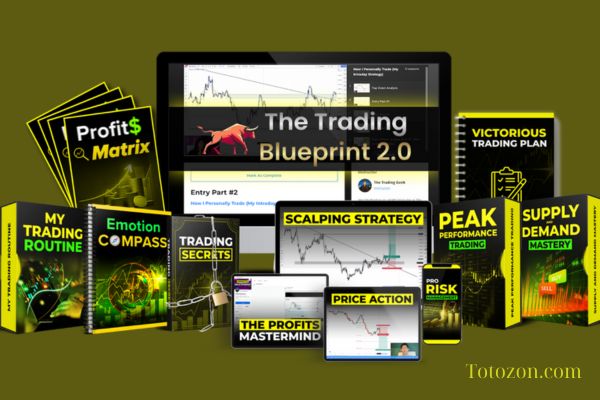 The Trading Blueprint with Brad Goh - The Trading Geek
1 × $5.00
The Trading Blueprint with Brad Goh - The Trading Geek
1 × $5.00 -
×
 Dynamic Support and Resistance Indicator for MT4
1 × $23.00
Dynamic Support and Resistance Indicator for MT4
1 × $23.00 -
×
 Full Volume Forex Training Course with ThatFXTrader
1 × $5.00
Full Volume Forex Training Course with ThatFXTrader
1 × $5.00 -
×
 The Orderflow Masterclass with PrimeTrading
1 × $17.00
The Orderflow Masterclass with PrimeTrading
1 × $17.00 -
×
 Footprint Day Trading Blueprint with Futures Flow
1 × $5.00
Footprint Day Trading Blueprint with Futures Flow
1 × $5.00 -
×
 How To Read The Market Professionally with TradeSmart
1 × $27.00
How To Read The Market Professionally with TradeSmart
1 × $27.00 -
×
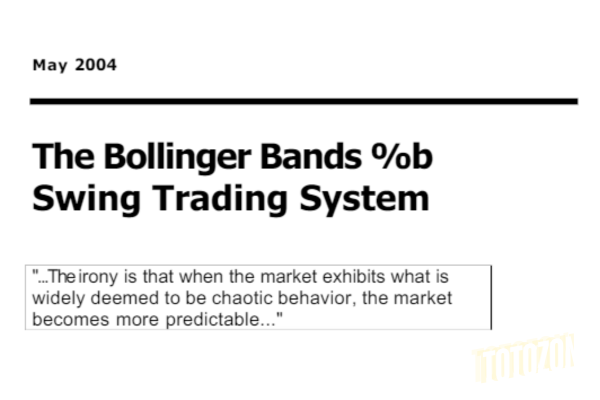 The Bollinger Bands Swing Trading System 2004 with Larry Connors
1 × $6.00
The Bollinger Bands Swing Trading System 2004 with Larry Connors
1 × $6.00 -
×
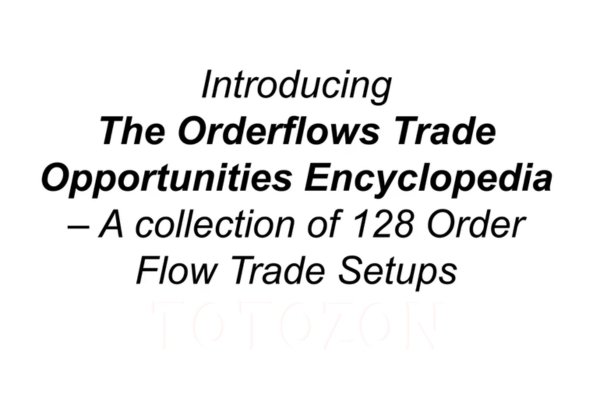 The Orderflows Trade Opportunities Encyclopedia with Michael Valtos
1 × $8.00
The Orderflows Trade Opportunities Encyclopedia with Michael Valtos
1 × $8.00 -
×
 Renko Mastery Intensive Program
1 × $85.00
Renko Mastery Intensive Program
1 × $85.00 -
×
 Fundamentals of the Securities Industry with William A.Rini
1 × $6.00
Fundamentals of the Securities Industry with William A.Rini
1 × $6.00 -
×
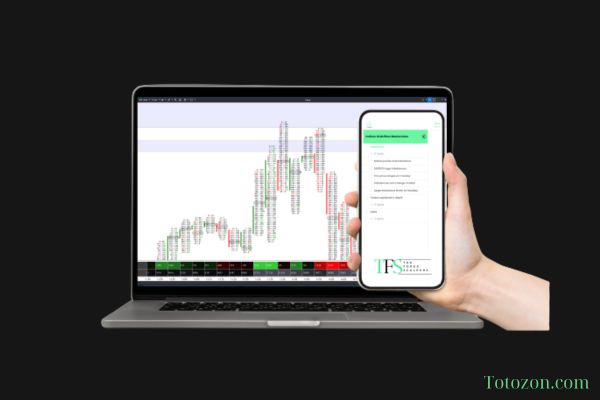 The Indices Orderflow Masterclass with The Forex Scalpers
1 × $23.00
The Indices Orderflow Masterclass with The Forex Scalpers
1 × $23.00 -
×
 White Phoenix’s The Smart (Money) Approach to Trading with Jayson Casper
1 × $39.00
White Phoenix’s The Smart (Money) Approach to Trading with Jayson Casper
1 × $39.00 -
×
 Sacredscience - Paul Councel – X Marks My Place
1 × $6.00
Sacredscience - Paul Councel – X Marks My Place
1 × $6.00 -
×
 The Complete Guide to Multiple Time Frame Analysis & Reading Price Action with Aiman Almansoori
1 × $13.00
The Complete Guide to Multiple Time Frame Analysis & Reading Price Action with Aiman Almansoori
1 × $13.00 -
×
 Trading Short TermSame Day Trades Sep 2023 with Dan Sheridan & Mark Fenton - Sheridan Options Mentoring
1 × $31.00
Trading Short TermSame Day Trades Sep 2023 with Dan Sheridan & Mark Fenton - Sheridan Options Mentoring
1 × $31.00 -
×
 Technical & Fundamental Courses with Diamant Capital
1 × $5.00
Technical & Fundamental Courses with Diamant Capital
1 × $5.00 -
×
 Bond Market Course with The Macro Compass
1 × $15.00
Bond Market Course with The Macro Compass
1 × $15.00 -
×
 Quantamentals - The Next Great Forefront Of Trading and Investing with Trading Markets
1 × $8.00
Quantamentals - The Next Great Forefront Of Trading and Investing with Trading Markets
1 × $8.00 -
×
 0 DTE Options Trading Workshop with Aeromir Corporation
1 × $15.00
0 DTE Options Trading Workshop with Aeromir Corporation
1 × $15.00 -
×
 The Best Option Trading Course with David Jaffee - Best Stock Strategy
1 × $15.00
The Best Option Trading Course with David Jaffee - Best Stock Strategy
1 × $15.00 -
×
 ICT Prodigy Trading Course – $650K in Payouts with Alex Solignani
1 × $15.00
ICT Prodigy Trading Course – $650K in Payouts with Alex Solignani
1 × $15.00 -
×
 TRADING NFX Course with Andrew NFX
1 × $5.00
TRADING NFX Course with Andrew NFX
1 × $5.00 -
×
 Best of the Best: Collars with Amy Meissner & Scott Ruble
1 × $15.00
Best of the Best: Collars with Amy Meissner & Scott Ruble
1 × $15.00 -
×
 The A14 Weekly Option Strategy Workshop with Amy Meissner
1 × $23.00
The A14 Weekly Option Strategy Workshop with Amy Meissner
1 × $23.00 -
×
 Matrix Spread Options Trading Course with Base Camp Trading
1 × $31.00
Matrix Spread Options Trading Course with Base Camp Trading
1 × $31.00 -
×
 SNR Trader Course with Ariff T
1 × $6.00
SNR Trader Course with Ariff T
1 × $6.00 -
×
 SQX Mentorship with Tip Toe Hippo
1 × $23.00
SQX Mentorship with Tip Toe Hippo
1 × $23.00 -
×
 W. D Gann 's Square Of 9 Applied To Modern Markets with Sean Avidar - Hexatrade350
1 × $23.00
W. D Gann 's Square Of 9 Applied To Modern Markets with Sean Avidar - Hexatrade350
1 × $23.00 -
×
 TradeCraft: Your Path to Peak Performance Trading By Adam Grimes
1 × $15.00
TradeCraft: Your Path to Peak Performance Trading By Adam Grimes
1 × $15.00 -
×
 The Naked Eye: Raw Data Analytics with Edgar Torres - Raw Data Analytics
1 × $8.00
The Naked Eye: Raw Data Analytics with Edgar Torres - Raw Data Analytics
1 × $8.00 -
×
 Crystal Ball Pack PLUS bonus Live Trade By Pat Mitchell - Trick Trades
1 × $20.00
Crystal Ball Pack PLUS bonus Live Trade By Pat Mitchell - Trick Trades
1 × $20.00 -
×
 Applications of Abstract Algebra with Maple - Richard E.Kline, Neil Sigmon, Ernst Stitzinger
1 × $6.00
Applications of Abstract Algebra with Maple - Richard E.Kline, Neil Sigmon, Ernst Stitzinger
1 × $6.00 -
×
 Scalping the Nasdaq Emini Futures Method (Includes Indicators) with Ryan Watts
1 × $4.00
Scalping the Nasdaq Emini Futures Method (Includes Indicators) with Ryan Watts
1 × $4.00 -
×
 Futures Spread Trading Intro Course with Thetradingframework
1 × $6.00
Futures Spread Trading Intro Course with Thetradingframework
1 × $6.00 -
×
 Deep Dive Butterfly Trading Strategy Class with SJG Trades
1 × $41.00
Deep Dive Butterfly Trading Strategy Class with SJG Trades
1 × $41.00 -
×
 WondaFX Signature Strategy with WondaFX
1 × $5.00
WondaFX Signature Strategy with WondaFX
1 × $5.00 -
×
 Raghee Horner's Workspace Bundle + Live Trading By Raghee Horner - Simpler Trading
1 × $23.00
Raghee Horner's Workspace Bundle + Live Trading By Raghee Horner - Simpler Trading
1 × $23.00 -
×
 $20 – 52k 20 pips a day challange with Rafał Zuchowicz - TopMasterTrader
1 × $5.00
$20 – 52k 20 pips a day challange with Rafał Zuchowicz - TopMasterTrader
1 × $5.00 -
×
 Options Trading & Ultimate MasterClass With Tyrone Abela - FX Evolution
1 × $54.00
Options Trading & Ultimate MasterClass With Tyrone Abela - FX Evolution
1 × $54.00 -
×
 The Prop Trading Code with Brannigan Barrett - Axia Futures
1 × $23.00
The Prop Trading Code with Brannigan Barrett - Axia Futures
1 × $23.00 -
×
 Essentials in Quantitative Trading QT01 By HangukQuant's
1 × $23.00
Essentials in Quantitative Trading QT01 By HangukQuant's
1 × $23.00 -
×
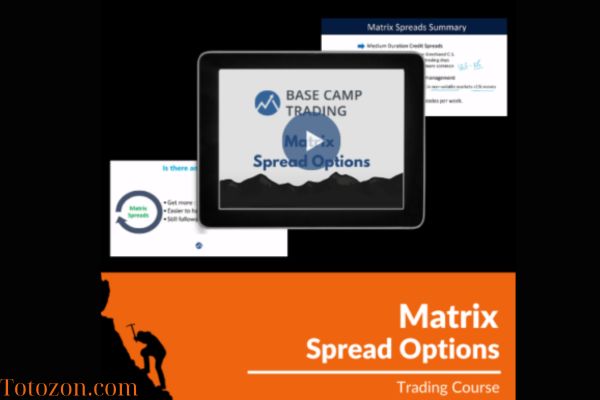 Home Run Options Trading Course with Dave Aquino - Base Camp Trading
1 × $11.00
Home Run Options Trading Course with Dave Aquino - Base Camp Trading
1 × $11.00 -
×
 The BULLFx Forex Trading Course
1 × $5.00
The BULLFx Forex Trading Course
1 × $5.00 -
×
 Ultimate Trading Course with Dodgy's Dungeon
1 × $8.00
Ultimate Trading Course with Dodgy's Dungeon
1 × $8.00 -
×
 June 2010 Training Video
1 × $6.00
June 2010 Training Video
1 × $6.00 -
×
 Strategy Factory Workshop with Kevin Davey - KJ Trading Systems
1 × $5.00
Strategy Factory Workshop with Kevin Davey - KJ Trading Systems
1 × $5.00 -
×
 How to Trade Stock Options Course
1 × $6.00
How to Trade Stock Options Course
1 × $6.00 -
×
 New Market Mavericks with Geoff Cutmore
1 × $6.00
New Market Mavericks with Geoff Cutmore
1 × $6.00 -
×
 Technician’s Guide to Day and Swing Trading with Martin Pring
1 × $6.00
Technician’s Guide to Day and Swing Trading with Martin Pring
1 × $6.00 -
×
 Technical Analysis with Alexander Elder Video Series
1 × $6.00
Technical Analysis with Alexander Elder Video Series
1 × $6.00 -
×
 AI For Traders with Trading Markets
1 × $31.00
AI For Traders with Trading Markets
1 × $31.00 -
×
 Quant Edge Online Home Study Course with T3 Live
1 × $39.00
Quant Edge Online Home Study Course with T3 Live
1 × $39.00 -
×
 Forecast 2024 Clarification with Larry Williams
1 × $15.00
Forecast 2024 Clarification with Larry Williams
1 × $15.00
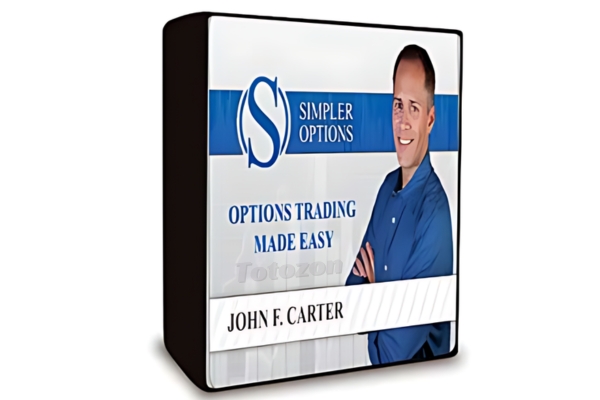
TTM Trend Anchor Indicator for Tradestation & MultiCharts
$6.00
File Size: Coming soon!
Delivery Time: 1–12 hours
Media Type: Online Course
TTM Trend Anchor Indicator for Tradestation & MultiCharts
In the world of trading, having the right tools can make a significant difference in your success. One such tool is the TTM Trend Anchor Indicator. This powerful indicator is available for both Tradestation and MultiCharts, providing traders with a robust method for identifying and capitalizing on market trends. In this article, we will delve into the features, benefits, and practical applications of the TTM Trend Anchor Indicator.
Introduction to the TTM Trend Anchor Indicator
What is the TTM Trend Anchor Indicator?
The TTM Trend Anchor Indicator is a technical analysis tool designed to help traders identify the direction and strength of market trends. Developed by John Carter, this indicator is part of the TTM suite of tools, known for their effectiveness in enhancing trading strategies.
Why Use the TTM Trend Anchor Indicator?
This indicator simplifies the process of trend identification, allowing traders to make more informed decisions. It is particularly useful for those trading on Tradestation and MultiCharts platforms, offering seamless integration and ease of use.
Core Features of the TTM Trend Anchor Indicator
Color-Coded Signals
The indicator uses color-coded signals to represent different market conditions:
- Green Bars: Indicate a strong uptrend.
- Red Bars: Indicate a strong downtrend.
- Blue Bars: Indicate a neutral or sideways market.
Customizable Settings
Traders can customize the settings to suit their trading style and preferences. This includes adjusting the sensitivity of the indicator to better align with specific market conditions.
Real-Time Analysis
The TTM Trend Anchor Indicator provides real-time analysis, allowing traders to react swiftly to market changes and capitalize on emerging trends.
Benefits of Using the TTM Trend Anchor Indicator
Enhanced Trend Identification
By providing clear and easy-to-understand signals, the TTM Trend Anchor Indicator helps traders quickly identify the direction of the trend, reducing the risk of making trades against the market direction.
Improved Decision Making
With accurate trend information at their fingertips, traders can make better-informed decisions, leading to potentially higher profits and reduced losses.
Versatility Across Markets
The indicator is versatile and can be used across various markets, including stocks, forex, commodities, and futures. This makes it a valuable tool for traders in different market segments.
Setting Up the TTM Trend Anchor Indicator
For Tradestation Users
- Download and Install: Ensure you have the TTM Trend Anchor Indicator downloaded and installed on your Tradestation platform.
- Apply to Chart: Open your chart, go to the indicator section, and apply the TTM Trend Anchor Indicator.
- Adjust Settings: Customize the settings as per your trading strategy.
For MultiCharts Users
- Download and Install: Similar to Tradestation, download and install the indicator on your MultiCharts platform.
- Add to Chart: Apply the indicator to your desired chart.
- Customize Settings: Modify the settings to match your trading style and market conditions.
Practical Applications of the TTM Trend Anchor Indicator
Identifying Entry and Exit Points
The color-coded signals make it easy to identify optimal entry and exit points. For instance, entering a trade when the bars turn green and exiting when they turn red can be a straightforward strategy.
Trend Confirmation
Use the indicator to confirm trends identified through other analysis methods. This double-checking process can increase the accuracy of your trades.
Combining with Other Indicators
For more robust trading strategies, combine the TTM Trend Anchor Indicator with other indicators such as moving averages, RSI, or MACD.
Advanced Strategies Using the TTM Trend Anchor Indicator
Swing Trading
Swing traders can use the indicator to identify short- to medium-term trends, entering and exiting trades based on the color changes of the bars.
Day Trading
Day traders can benefit from the real-time analysis provided by the indicator, making quick decisions to capitalize on intraday price movements.
Position Trading
Position traders can use the TTM Trend Anchor Indicator to confirm long-term trends and maintain their positions accordingly.
Common Challenges and Solutions
False Signals
Like any indicator, the TTM Trend Anchor Indicator can sometimes produce false signals. To mitigate this, combine it with other indicators or use additional analysis methods for confirmation.
Over-Optimization
Avoid over-optimizing the indicator settings. While customization is beneficial, excessively tweaking the settings can lead to unreliable results.
Market Conditions
The effectiveness of the indicator can vary based on market conditions. It’s essential to understand the current market environment and adjust your strategy accordingly.
Conclusion
The TTM Trend Anchor Indicator is a powerful tool for traders using Tradestation and MultiCharts. By providing clear, real-time signals, it helps traders identify and capitalize on market trends more effectively. Whether you are a day trader, swing trader, or position trader, incorporating this indicator into your trading strategy can enhance your decision-making process and improve your trading outcomes.
FAQs
1. How do I install the TTM Trend Anchor Indicator on Tradestation?
Download the indicator, install it on your Tradestation platform, apply it to your chart, and adjust the settings to fit your trading strategy.
2. Can the TTM Trend Anchor Indicator be used for forex trading?
Yes, the indicator is versatile and can be used across various markets, including forex.
3. What do the different colored bars mean?
Green bars indicate a strong uptrend, red bars indicate a strong downtrend, and blue bars indicate a neutral or sideways market.
4. How can I reduce false signals from the indicator?
Combine the TTM Trend Anchor Indicator with other indicators or analysis methods to confirm trends and reduce false signals.
5. Is the TTM Trend Anchor Indicator suitable for beginners?
Yes, the indicator is user-friendly and provides clear signals, making it suitable for both beginners and experienced traders.
Be the first to review “TTM Trend Anchor Indicator for Tradestation & MultiCharts”
You must be logged in to post a review.
Related products
Forex Trading
Original price was: $1,098.00.$39.00Current price is: $39.00.
Forex Trading
Original price was: $397.00.$31.00Current price is: $31.00.
Forex Trading
Original price was: $697.00.$5.00Current price is: $5.00.
Original price was: $139.00.$23.00Current price is: $23.00.
Forex Trading
Original price was: $249.00.$15.00Current price is: $15.00.
Forex Trading
Original price was: $4,997.00.$27.00Current price is: $27.00.
Forex Trading
Original price was: $2,997.00.$23.00Current price is: $23.00.

Forex Trading
Original price was: $1,898.00.$10.00Current price is: $10.00.
Forex Trading
Original price was: $550.00.$5.00Current price is: $5.00.
Forex Trading
Original price was: $850.00.$23.00Current price is: $23.00.
Forex Trading
Quantamentals – The Next Great Forefront Of Trading and Investing with Trading Markets
Original price was: $1,495.00.$8.00Current price is: $8.00.
Original price was: $4,995.00.$15.00Current price is: $15.00.
Forex Trading
The Complete Guide to Multiple Time Frame Analysis & Reading Price Action with Aiman Almansoori
Original price was: $1,399.00.$13.00Current price is: $13.00.
Original price was: $299.00.$8.00Current price is: $8.00.
Original price was: $1,849.00.$15.00Current price is: $15.00.
Forex Trading
Original price was: $2,000.00.$23.00Current price is: $23.00.
Original price was: $450.00.$23.00Current price is: $23.00.
Original price was: $700.00.$39.00Current price is: $39.00.
Forex Trading
Original price was: $239.00.$8.00Current price is: $8.00.
Original price was: $497.00.$11.00Current price is: $11.00.
Reviews
There are no reviews yet.