
-
×
 How the Stock Market Works with Ramon DeGennaro
1 × $5.00
How the Stock Market Works with Ramon DeGennaro
1 × $5.00 -
×
 Intermediate to Advanced Intensive Q and A with Rob Hoffman
1 × $6.00
Intermediate to Advanced Intensive Q and A with Rob Hoffman
1 × $6.00 -
×
 David Weis Stock Market Update Nightly Report 2014-2019
1 × $20.00
David Weis Stock Market Update Nightly Report 2014-2019
1 × $20.00 -
×
 The Michanics of Futures Trading - Roy Habben
1 × $6.00
The Michanics of Futures Trading - Roy Habben
1 × $6.00 -
×
 Superleverage The Only Sensible Way to Speculate with Steve Sarnoff
1 × $6.00
Superleverage The Only Sensible Way to Speculate with Steve Sarnoff
1 × $6.00 -
×
 Chart Pattern Profits
1 × $6.00
Chart Pattern Profits
1 × $6.00 -
×
 Advanced Spread Trading with Guy Bower - MasterClass Trader
1 × $15.00
Advanced Spread Trading with Guy Bower - MasterClass Trader
1 × $15.00 -
×
 Consistently Profitable Trader with Pollinate Trading
1 × $13.00
Consistently Profitable Trader with Pollinate Trading
1 × $13.00 -
×
 Stock Trader`s Almanac 2012 with Jeffrey Hirsch & Yale Hirsch
1 × $6.00
Stock Trader`s Almanac 2012 with Jeffrey Hirsch & Yale Hirsch
1 × $6.00 -
×
 Rob’s Swing Trading Methods with Rob Hoffman
1 × $39.00
Rob’s Swing Trading Methods with Rob Hoffman
1 × $39.00 -
×
 Quantitative Technical Analysis: An integrated approach to trading system development and trading management
1 × $6.00
Quantitative Technical Analysis: An integrated approach to trading system development and trading management
1 × $6.00 -
×
 Staying Out of Trouble Trading Currency with Channels - Barbara Rockefeller
1 × $6.00
Staying Out of Trouble Trading Currency with Channels - Barbara Rockefeller
1 × $6.00 -
×
 The Complete XAUUSD GOLD Forex Scalping System On Real Trading Account with Forex Lia
1 × $5.00
The Complete XAUUSD GOLD Forex Scalping System On Real Trading Account with Forex Lia
1 × $5.00 -
×
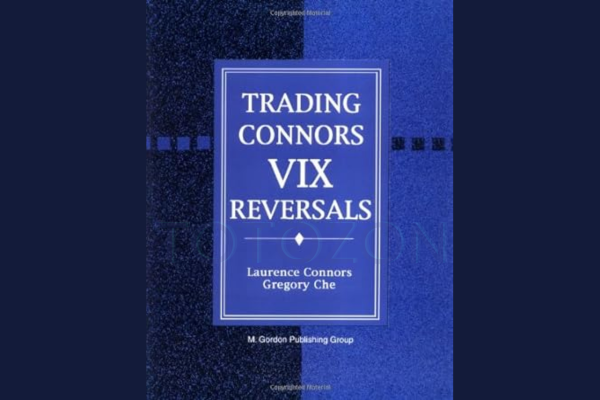 Trading Connors VIX Reversals Tradestation Files with Laurence A. Connors & Gregory J. Che
1 × $6.00
Trading Connors VIX Reversals Tradestation Files with Laurence A. Connors & Gregory J. Che
1 × $6.00 -
×
 The New Goldrush Of 2021 with Keith Dougherty
1 × $46.00
The New Goldrush Of 2021 with Keith Dougherty
1 × $46.00 -
×
 Equities Markets Certification (EMC©) with Eric Cheung - Wall Street Prep
1 × $46.00
Equities Markets Certification (EMC©) with Eric Cheung - Wall Street Prep
1 × $46.00 -
×
 Fast Start Barter System with Bob Meyer
1 × $31.00
Fast Start Barter System with Bob Meyer
1 × $31.00 -
×
 CM APR (A Pivot Reverse) Trade Method with Austin Passamonte
1 × $6.00
CM APR (A Pivot Reverse) Trade Method with Austin Passamonte
1 × $6.00 -
×
 Forecast 2024 Clarification with Larry Williams
1 × $15.00
Forecast 2024 Clarification with Larry Williams
1 × $15.00 -
×
 Compound Stock Earnings Advanced Charting (Video 1.19 GB)
1 × $15.00
Compound Stock Earnings Advanced Charting (Video 1.19 GB)
1 × $15.00 -
×
 Intro To Trading - 3 Module Bundle
1 × $23.00
Intro To Trading - 3 Module Bundle
1 × $23.00 -
×
 Carolyn Boroden Package
1 × $15.00
Carolyn Boroden Package
1 × $15.00 -
×
 The Naked Eye: Raw Data Analytics with Edgar Torres - Raw Data Analytics
1 × $8.00
The Naked Eye: Raw Data Analytics with Edgar Torres - Raw Data Analytics
1 × $8.00 -
×
 Affinity Foundation Option Course with Affinitytrading
1 × $6.00
Affinity Foundation Option Course with Affinitytrading
1 × $6.00 -
×
 Gann Trade Real Time with Larry B.Jacobs
1 × $6.00
Gann Trade Real Time with Larry B.Jacobs
1 × $6.00 -
×
 Build A Solid Foundation For Trading Options with Corey Halliday
1 × $6.00
Build A Solid Foundation For Trading Options with Corey Halliday
1 × $6.00 -
×
 Code 1 with Oil Trading Academy
1 × $31.00
Code 1 with Oil Trading Academy
1 × $31.00 -
×
 Bulletproof Butterflies 2.0 2022 (PREMIUM) with Bruce Marshall
1 × $23.00
Bulletproof Butterflies 2.0 2022 (PREMIUM) with Bruce Marshall
1 × $23.00 -
×
 QuickBooks 2003 Official Guide
1 × $6.00
QuickBooks 2003 Official Guide
1 × $6.00 -
×
 Trading With DiNapoli Levels
1 × $6.00
Trading With DiNapoli Levels
1 × $6.00 -
×
 Pristine - Cardinal Rules of Trading
1 × $6.00
Pristine - Cardinal Rules of Trading
1 × $6.00 -
×
 PFAZoneSuite [Trading Indicator] 2017
1 × $109.00
PFAZoneSuite [Trading Indicator] 2017
1 × $109.00 -
×
 The Trading Blueprint with Brad Goh - The Trading Geek
1 × $5.00
The Trading Blueprint with Brad Goh - The Trading Geek
1 × $5.00 -
×
 Dynamite TNT Forex System with Clarence Chee
1 × $6.00
Dynamite TNT Forex System with Clarence Chee
1 × $6.00 -
×
 Algohub 2023 Full Completed with Algohub
1 × $5.00
Algohub 2023 Full Completed with Algohub
1 × $5.00 -
×
 Perfect Publishing System Elite with Johnny Andrews
1 × $6.00
Perfect Publishing System Elite with Johnny Andrews
1 × $6.00 -
×
 Market Risk Analysis, Volume III, Pricing, Hedging and Trading Financial Instruments with Carol Alexander
1 × $6.00
Market Risk Analysis, Volume III, Pricing, Hedging and Trading Financial Instruments with Carol Alexander
1 × $6.00 -
×
 Future DayTrading (German)
1 × $6.00
Future DayTrading (German)
1 × $6.00 -
×
 All About Market Timing with Leslie N.Masonson
1 × $6.00
All About Market Timing with Leslie N.Masonson
1 × $6.00 -
×
 Evolved Trader with Mark Croock
1 × $69.00
Evolved Trader with Mark Croock
1 × $69.00 -
×
 The Dark Side Of Valuation with Aswath Damodaran
1 × $6.00
The Dark Side Of Valuation with Aswath Damodaran
1 × $6.00 -
×
 How to Trade the New Single Stock Futures with Jack Bernstein
1 × $6.00
How to Trade the New Single Stock Futures with Jack Bernstein
1 × $6.00 -
×
 The Best of the Professional Traders Journal. Market Timing with Larry Connors
1 × $6.00
The Best of the Professional Traders Journal. Market Timing with Larry Connors
1 × $6.00 -
×
 From Wall Street to the Great Wall with Jonathan Worrall
1 × $6.00
From Wall Street to the Great Wall with Jonathan Worrall
1 × $6.00 -
×
 Option Hydra - Mar 2020 Edition - Basics with Rajandran R
1 × $23.00
Option Hydra - Mar 2020 Edition - Basics with Rajandran R
1 × $23.00 -
×
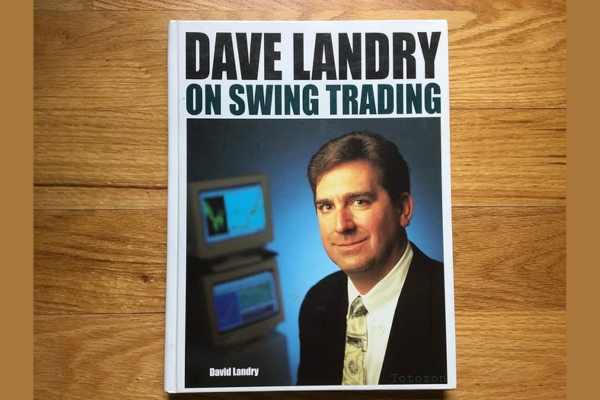 David Landry On Swing Trading
1 × $6.00
David Landry On Swing Trading
1 × $6.00 -
×
 Sniper Trading System for Forex with Chris Capre
1 × $4.00
Sniper Trading System for Forex with Chris Capre
1 × $4.00 -
×
 All About Dividend Investing with Don Schreiber & Gary Stroik
1 × $6.00
All About Dividend Investing with Don Schreiber & Gary Stroik
1 × $6.00 -
×
 Gann Masters II with Hallikers Inc
1 × $6.00
Gann Masters II with Hallikers Inc
1 × $6.00 -
×
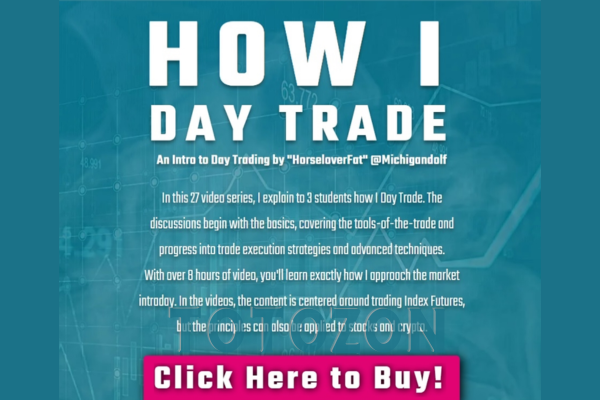 How I Day Trade Course with Traderade
1 × $15.00
How I Day Trade Course with Traderade
1 × $15.00 -
×
 ChartEngineers Course
1 × $5.00
ChartEngineers Course
1 × $5.00 -
×
 The Inner Circle Seminar
1 × $15.00
The Inner Circle Seminar
1 × $15.00 -
×
 RadioActive Trading Home Study Kit with Power Options
1 × $31.00
RadioActive Trading Home Study Kit with Power Options
1 × $31.00 -
×
 Forex Time Machine with Bill Poulos
1 × $6.00
Forex Time Machine with Bill Poulos
1 × $6.00 -
×
 SPIKED COLLARS (Dynamic Hedging)
1 × $15.00
SPIKED COLLARS (Dynamic Hedging)
1 × $15.00 -
×
 The Science of Trading with Mark Boucher
1 × $6.00
The Science of Trading with Mark Boucher
1 × $6.00 -
×
 The Psychology of Risk (Audio) with Ari Kiev
1 × $6.00
The Psychology of Risk (Audio) with Ari Kiev
1 × $6.00 -
×
 ND10X - 10X Your Money In 10 Days with Nicola Delic
1 × $23.00
ND10X - 10X Your Money In 10 Days with Nicola Delic
1 × $23.00 -
×
 Heiken Ashi 101
1 × $15.00
Heiken Ashi 101
1 × $15.00 -
×
 Futures & Options Course with Talkin Options
1 × $15.00
Futures & Options Course with Talkin Options
1 × $15.00 -
×
 How To Flip All Those “Hard To Flip” Deals
1 × $6.00
How To Flip All Those “Hard To Flip” Deals
1 × $6.00 -
×
 ICT Trading Models with The Prop Trader
1 × $5.00
ICT Trading Models with The Prop Trader
1 × $5.00 -
×
 Ultimate Trading Course with Dodgy's Dungeon
1 × $8.00
Ultimate Trading Course with Dodgy's Dungeon
1 × $8.00 -
×
 How To Write High Converting Copy with Tej Dosa
1 × $6.00
How To Write High Converting Copy with Tej Dosa
1 × $6.00 -
×
 Essentials in Quantitative Trading QT01 By HangukQuant's
1 × $23.00
Essentials in Quantitative Trading QT01 By HangukQuant's
1 × $23.00 -
×
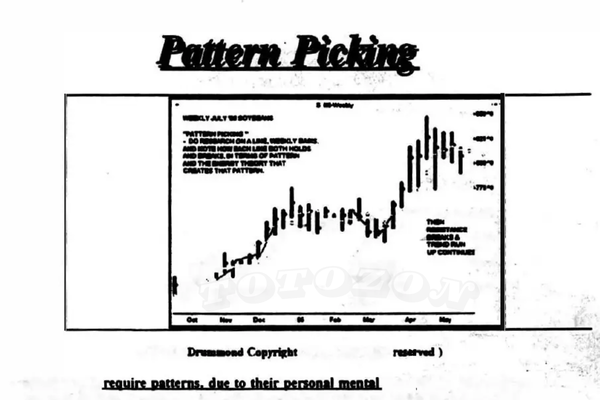 Pattern Picking with Charles Drummond
1 × $6.00
Pattern Picking with Charles Drummond
1 × $6.00 -
×
 Sovereign Man Confidential
1 × $6.00
Sovereign Man Confidential
1 × $6.00 -
×
 Forex Trader Package 2010
1 × $15.00
Forex Trader Package 2010
1 × $15.00 -
×
 Electronic Trading "TNT" IV Tips Tricks and Other Trading Stuff with Joe Ross & Mark Cherlin
1 × $6.00
Electronic Trading "TNT" IV Tips Tricks and Other Trading Stuff with Joe Ross & Mark Cherlin
1 × $6.00 -
×
 Power Charting - Robert’s Indicator Webinar
1 × $6.00
Power Charting - Robert’s Indicator Webinar
1 × $6.00 -
×
 Equity Valuation for Analysts and Investors: A Unique Stock Valuation Tool for Financial Statement Analysis and Model-Building with James Kelleher
1 × $6.00
Equity Valuation for Analysts and Investors: A Unique Stock Valuation Tool for Financial Statement Analysis and Model-Building with James Kelleher
1 × $6.00 -
×
 4 Strategies That Will Make You a Professional Day Trader with Jerremy Newsome
1 × $6.00
4 Strategies That Will Make You a Professional Day Trader with Jerremy Newsome
1 × $6.00 -
×
 Tradingriot Bootcamp + Blueprint 3.0
1 × $6.00
Tradingriot Bootcamp + Blueprint 3.0
1 × $6.00 -
×
 The Systematic Trader: Maximizing Trading Systems and Money Management with David Stendahl & John Boyer
1 × $6.00
The Systematic Trader: Maximizing Trading Systems and Money Management with David Stendahl & John Boyer
1 × $6.00 -
×
 Geometry of Markets I with Bruce Gilmore
1 × $6.00
Geometry of Markets I with Bruce Gilmore
1 × $6.00 -
×
 Contrarian Investing with Anthony M.Gallea, William Patalon
1 × $6.00
Contrarian Investing with Anthony M.Gallea, William Patalon
1 × $6.00 -
×
 Making Sense of Price Action: Price Action Profits with Scott Foster
1 × $54.00
Making Sense of Price Action: Price Action Profits with Scott Foster
1 × $54.00

TTM Trend Anchor Indicator for Tradestation & MultiCharts
$6.00
File Size: Coming soon!
Delivery Time: 1–12 hours
Media Type: Online Course
TTM Trend Anchor Indicator for Tradestation & MultiCharts
In the world of trading, having the right tools can make a significant difference in your success. One such tool is the TTM Trend Anchor Indicator. This powerful indicator is available for both Tradestation and MultiCharts, providing traders with a robust method for identifying and capitalizing on market trends. In this article, we will delve into the features, benefits, and practical applications of the TTM Trend Anchor Indicator.
Introduction to the TTM Trend Anchor Indicator
What is the TTM Trend Anchor Indicator?
The TTM Trend Anchor Indicator is a technical analysis tool designed to help traders identify the direction and strength of market trends. Developed by John Carter, this indicator is part of the TTM suite of tools, known for their effectiveness in enhancing trading strategies.
Why Use the TTM Trend Anchor Indicator?
This indicator simplifies the process of trend identification, allowing traders to make more informed decisions. It is particularly useful for those trading on Tradestation and MultiCharts platforms, offering seamless integration and ease of use.
Core Features of the TTM Trend Anchor Indicator
Color-Coded Signals
The indicator uses color-coded signals to represent different market conditions:
- Green Bars: Indicate a strong uptrend.
- Red Bars: Indicate a strong downtrend.
- Blue Bars: Indicate a neutral or sideways market.
Customizable Settings
Traders can customize the settings to suit their trading style and preferences. This includes adjusting the sensitivity of the indicator to better align with specific market conditions.
Real-Time Analysis
The TTM Trend Anchor Indicator provides real-time analysis, allowing traders to react swiftly to market changes and capitalize on emerging trends.
Benefits of Using the TTM Trend Anchor Indicator
Enhanced Trend Identification
By providing clear and easy-to-understand signals, the TTM Trend Anchor Indicator helps traders quickly identify the direction of the trend, reducing the risk of making trades against the market direction.
Improved Decision Making
With accurate trend information at their fingertips, traders can make better-informed decisions, leading to potentially higher profits and reduced losses.
Versatility Across Markets
The indicator is versatile and can be used across various markets, including stocks, forex, commodities, and futures. This makes it a valuable tool for traders in different market segments.
Setting Up the TTM Trend Anchor Indicator
For Tradestation Users
- Download and Install: Ensure you have the TTM Trend Anchor Indicator downloaded and installed on your Tradestation platform.
- Apply to Chart: Open your chart, go to the indicator section, and apply the TTM Trend Anchor Indicator.
- Adjust Settings: Customize the settings as per your trading strategy.
For MultiCharts Users
- Download and Install: Similar to Tradestation, download and install the indicator on your MultiCharts platform.
- Add to Chart: Apply the indicator to your desired chart.
- Customize Settings: Modify the settings to match your trading style and market conditions.
Practical Applications of the TTM Trend Anchor Indicator
Identifying Entry and Exit Points
The color-coded signals make it easy to identify optimal entry and exit points. For instance, entering a trade when the bars turn green and exiting when they turn red can be a straightforward strategy.
Trend Confirmation
Use the indicator to confirm trends identified through other analysis methods. This double-checking process can increase the accuracy of your trades.
Combining with Other Indicators
For more robust trading strategies, combine the TTM Trend Anchor Indicator with other indicators such as moving averages, RSI, or MACD.
Advanced Strategies Using the TTM Trend Anchor Indicator
Swing Trading
Swing traders can use the indicator to identify short- to medium-term trends, entering and exiting trades based on the color changes of the bars.
Day Trading
Day traders can benefit from the real-time analysis provided by the indicator, making quick decisions to capitalize on intraday price movements.
Position Trading
Position traders can use the TTM Trend Anchor Indicator to confirm long-term trends and maintain their positions accordingly.
Common Challenges and Solutions
False Signals
Like any indicator, the TTM Trend Anchor Indicator can sometimes produce false signals. To mitigate this, combine it with other indicators or use additional analysis methods for confirmation.
Over-Optimization
Avoid over-optimizing the indicator settings. While customization is beneficial, excessively tweaking the settings can lead to unreliable results.
Market Conditions
The effectiveness of the indicator can vary based on market conditions. It’s essential to understand the current market environment and adjust your strategy accordingly.
Conclusion
The TTM Trend Anchor Indicator is a powerful tool for traders using Tradestation and MultiCharts. By providing clear, real-time signals, it helps traders identify and capitalize on market trends more effectively. Whether you are a day trader, swing trader, or position trader, incorporating this indicator into your trading strategy can enhance your decision-making process and improve your trading outcomes.
FAQs
1. How do I install the TTM Trend Anchor Indicator on Tradestation?
Download the indicator, install it on your Tradestation platform, apply it to your chart, and adjust the settings to fit your trading strategy.
2. Can the TTM Trend Anchor Indicator be used for forex trading?
Yes, the indicator is versatile and can be used across various markets, including forex.
3. What do the different colored bars mean?
Green bars indicate a strong uptrend, red bars indicate a strong downtrend, and blue bars indicate a neutral or sideways market.
4. How can I reduce false signals from the indicator?
Combine the TTM Trend Anchor Indicator with other indicators or analysis methods to confirm trends and reduce false signals.
5. Is the TTM Trend Anchor Indicator suitable for beginners?
Yes, the indicator is user-friendly and provides clear signals, making it suitable for both beginners and experienced traders.
Be the first to review “TTM Trend Anchor Indicator for Tradestation & MultiCharts”
You must be logged in to post a review.
Related products

Forex Trading
Original price was: $2,995.00.$31.00Current price is: $31.00.
Forex Trading
Original price was: $397.00.$31.00Current price is: $31.00.

Original price was: $310.00.$23.00Current price is: $23.00.
Original price was: $1,200.00.$23.00Current price is: $23.00.
Forex Trading
Original price was: $999.00.$15.00Current price is: $15.00.

Original price was: $4,995.00.$15.00Current price is: $15.00.

Forex Trading
Original price was: $499.00.$15.00Current price is: $15.00.
Forex Trading
Original price was: $239.00.$8.00Current price is: $8.00.
Forex Trading
Original price was: $697.00.$5.00Current price is: $5.00.
Original price was: $497.00.$11.00Current price is: $11.00.

Original price was: $1,849.00.$15.00Current price is: $15.00.

Forex Trading
Original price was: $2,997.00.$23.00Current price is: $23.00.

Forex Trading
Quantamentals – The Next Great Forefront Of Trading and Investing with Trading Markets
Original price was: $1,495.00.$8.00Current price is: $8.00.

Forex Trading
Original price was: $799.00.$15.00Current price is: $15.00.
Forex Trading
Original price was: $2,000.00.$23.00Current price is: $23.00.

Original price was: $799.00.$15.00Current price is: $15.00.
Forex Trading
The Complete Guide to Multiple Time Frame Analysis & Reading Price Action with Aiman Almansoori
Original price was: $1,399.00.$13.00Current price is: $13.00.

Forex Trading
Original price was: $550.00.$5.00Current price is: $5.00.
Original price was: $450.00.$23.00Current price is: $23.00.
Original price was: $895.00.$15.00Current price is: $15.00.

Reviews
There are no reviews yet.