
-
×
 $20 – 52k 20 pips a day challange with Rafał Zuchowicz - TopMasterTrader
1 × $5.00
$20 – 52k 20 pips a day challange with Rafał Zuchowicz - TopMasterTrader
1 × $5.00 -
×
 Steve Nison Member Files
1 × $6.00
Steve Nison Member Files
1 × $6.00 -
×
 QuantZilla
1 × $39.00
QuantZilla
1 × $39.00 -
×
 Trading Short TermSame Day Trades Sep 2023 with Dan Sheridan & Mark Fenton - Sheridan Options Mentoring
1 × $31.00
Trading Short TermSame Day Trades Sep 2023 with Dan Sheridan & Mark Fenton - Sheridan Options Mentoring
1 × $31.00 -
×
 The A14 Weekly Option Strategy Workshop with Amy Meissner
1 × $23.00
The A14 Weekly Option Strategy Workshop with Amy Meissner
1 × $23.00 -
×
 Forex Trading Systems Elearning Course - Busted Breakout System with Van Tharp
1 × $6.00
Forex Trading Systems Elearning Course - Busted Breakout System with Van Tharp
1 × $6.00 -
×
 WondaFX Signature Strategy with WondaFX
1 × $5.00
WondaFX Signature Strategy with WondaFX
1 × $5.00 -
×
 MotiveWave Course with Todd Gordon
1 × $23.00
MotiveWave Course with Todd Gordon
1 × $23.00 -
×
 Short-Term Trading Course with Mark Boucher
1 × $6.00
Short-Term Trading Course with Mark Boucher
1 × $6.00 -
×
 Essentials in Quantitative Trading QT01 By HangukQuant's
1 × $23.00
Essentials in Quantitative Trading QT01 By HangukQuant's
1 × $23.00 -
×
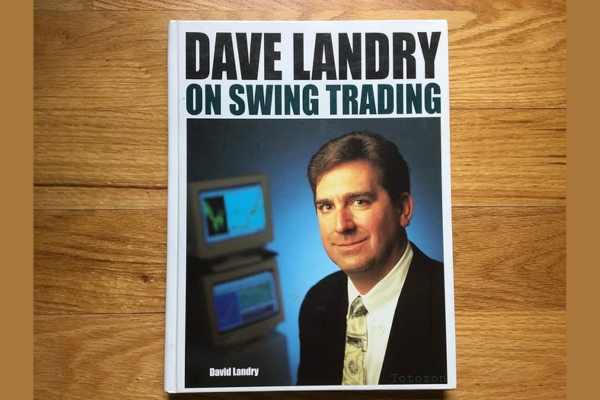 David Landry On Swing Trading
1 × $6.00
David Landry On Swing Trading
1 × $6.00 -
×
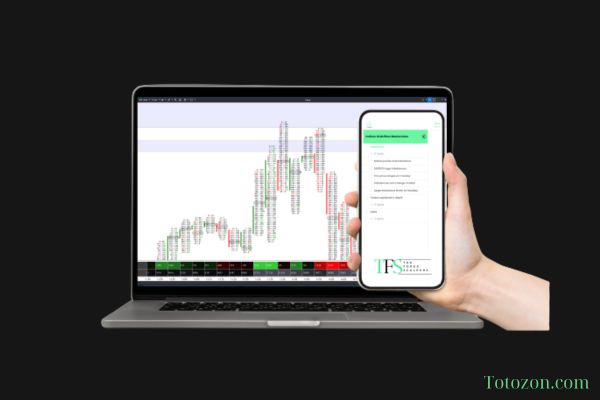 The Indices Orderflow Masterclass with The Forex Scalpers
1 × $23.00
The Indices Orderflow Masterclass with The Forex Scalpers
1 × $23.00 -
×
 Levelator Automatic Trading Machines-Russ Horn’s
1 × $23.00
Levelator Automatic Trading Machines-Russ Horn’s
1 × $23.00 -
×
 Joshua ICT ChartLab 2023
1 × $5.00
Joshua ICT ChartLab 2023
1 × $5.00 -
×
 Smart Money Concepts with JordyBanks
1 × $6.00
Smart Money Concepts with JordyBanks
1 × $6.00 -
×
 Stop Loss Secrets
1 × $6.00
Stop Loss Secrets
1 × $6.00 -
×
 Quantamentals - The Next Great Forefront Of Trading and Investing with Trading Markets
1 × $8.00
Quantamentals - The Next Great Forefront Of Trading and Investing with Trading Markets
1 × $8.00 -
×
 Start Trading Stocks Using Technical Analysis with Corey Halliday
1 × $6.00
Start Trading Stocks Using Technical Analysis with Corey Halliday
1 × $6.00 -
×
 Inner Circle Trader
1 × $6.00
Inner Circle Trader
1 × $6.00 -
×
 Tandem Trader with Investors Underground
1 × $6.00
Tandem Trader with Investors Underground
1 × $6.00 -
×
 Field of Vision Program – Digital Download
1 × $31.00
Field of Vision Program – Digital Download
1 × $31.00 -
×
 Campaign Trading with John Sweeney
1 × $6.00
Campaign Trading with John Sweeney
1 × $6.00 -
×
 Elite Day Trading Bundle (Series 4) with The Swag Academy
1 × $101.00
Elite Day Trading Bundle (Series 4) with The Swag Academy
1 × $101.00 -
×
 Deep Dive Butterfly Trading Strategy Class with SJG Trades
1 × $41.00
Deep Dive Butterfly Trading Strategy Class with SJG Trades
1 × $41.00 -
×
 Quantitative Technical Analysis: An integrated approach to trading system development and trading management
1 × $6.00
Quantitative Technical Analysis: An integrated approach to trading system development and trading management
1 × $6.00 -
×
 Cycle Hunter Books 1-3 with Brian James Sklenka
1 × $6.00
Cycle Hunter Books 1-3 with Brian James Sklenka
1 × $6.00 -
×
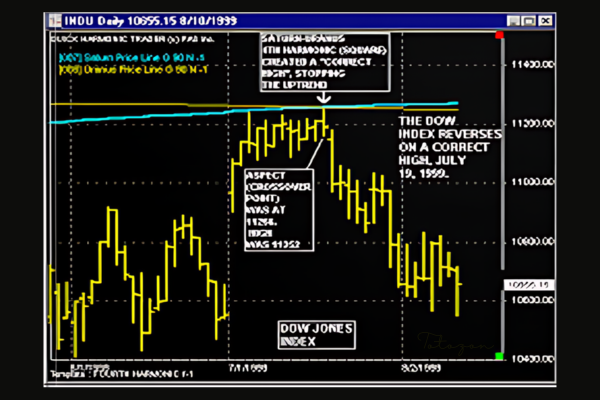 Gann’s Secret with Jeanne Long
1 × $4.00
Gann’s Secret with Jeanne Long
1 × $4.00 -
×
 FX SpeedRunner
1 × $5.00
FX SpeedRunner
1 × $5.00 -
×
 Complete Series
1 × $31.00
Complete Series
1 × $31.00 -
×
 eASCTrend Training Seminar with Richard Kalla by Ablesys
1 × $6.00
eASCTrend Training Seminar with Richard Kalla by Ablesys
1 × $6.00 -
×
 Sharp Edge Institutional Ultimate Trade Program – CompassFX
1 × $101.00
Sharp Edge Institutional Ultimate Trade Program – CompassFX
1 × $101.00 -
×
 Day Trading Stocks - Gap Trading
1 × $23.00
Day Trading Stocks - Gap Trading
1 × $23.00 -
×
 Advanced Spread Trading with Guy Bower - MasterClass Trader
1 × $15.00
Advanced Spread Trading with Guy Bower - MasterClass Trader
1 × $15.00 -
×
 How To Develop A Winning Trading System That Fits You Home Study + Audio - 2020 with Van Tharp
1 × $62.00
How To Develop A Winning Trading System That Fits You Home Study + Audio - 2020 with Van Tharp
1 × $62.00 -
×
 High Probability Continuation and Reversal Patterns
1 × $23.00
High Probability Continuation and Reversal Patterns
1 × $23.00 -
×
 Compass Trading System with Right Line Trading
1 × $39.00
Compass Trading System with Right Line Trading
1 × $39.00 -
×
 Paradox Forex Course
1 × $5.00
Paradox Forex Course
1 × $5.00 -
×
 Diary of an Internet Trader with Alpesh Patel
1 × $6.00
Diary of an Internet Trader with Alpesh Patel
1 × $6.00 -
×
 The Orderflows Trade Opportunities Encyclopedia with Michael Valtos
1 × $8.00
The Orderflows Trade Opportunities Encyclopedia with Michael Valtos
1 × $8.00 -
×
 Forecast 2024 Clarification with Larry Williams
1 × $15.00
Forecast 2024 Clarification with Larry Williams
1 × $15.00 -
×
 Strees Relief for Traders Workshop with Adrienne Laris Toghraie
1 × $6.00
Strees Relief for Traders Workshop with Adrienne Laris Toghraie
1 × $6.00 -
×
 Common Sense Commodities with David Duty
1 × $6.00
Common Sense Commodities with David Duty
1 × $6.00 -
×
 Price Headley - Using Williams %R The BigTrends Way
1 × $6.00
Price Headley - Using Williams %R The BigTrends Way
1 × $6.00 -
×
 The Best Option Trading Course with David Jaffee - Best Stock Strategy
1 × $15.00
The Best Option Trading Course with David Jaffee - Best Stock Strategy
1 × $15.00 -
×
 Charles Cottle Package ( Discount 50% )
1 × $23.00
Charles Cottle Package ( Discount 50% )
1 × $23.00 -
×
 Market Profile E-Course with Charles Gough - Pirate Traders
1 × $17.00
Market Profile E-Course with Charles Gough - Pirate Traders
1 × $17.00 -
×
 The Way of the Turtle with Curtis Faith
1 × $6.00
The Way of the Turtle with Curtis Faith
1 × $6.00

TTM Trend Anchor Indicator for Tradestation & MultiCharts
$6.00
File Size: Coming soon!
Delivery Time: 1–12 hours
Media Type: Online Course
TTM Trend Anchor Indicator for Tradestation & MultiCharts
In the world of trading, having the right tools can make a significant difference in your success. One such tool is the TTM Trend Anchor Indicator. This powerful indicator is available for both Tradestation and MultiCharts, providing traders with a robust method for identifying and capitalizing on market trends. In this article, we will delve into the features, benefits, and practical applications of the TTM Trend Anchor Indicator.
Introduction to the TTM Trend Anchor Indicator
What is the TTM Trend Anchor Indicator?
The TTM Trend Anchor Indicator is a technical analysis tool designed to help traders identify the direction and strength of market trends. Developed by John Carter, this indicator is part of the TTM suite of tools, known for their effectiveness in enhancing trading strategies.
Why Use the TTM Trend Anchor Indicator?
This indicator simplifies the process of trend identification, allowing traders to make more informed decisions. It is particularly useful for those trading on Tradestation and MultiCharts platforms, offering seamless integration and ease of use.
Core Features of the TTM Trend Anchor Indicator
Color-Coded Signals
The indicator uses color-coded signals to represent different market conditions:
- Green Bars: Indicate a strong uptrend.
- Red Bars: Indicate a strong downtrend.
- Blue Bars: Indicate a neutral or sideways market.
Customizable Settings
Traders can customize the settings to suit their trading style and preferences. This includes adjusting the sensitivity of the indicator to better align with specific market conditions.
Real-Time Analysis
The TTM Trend Anchor Indicator provides real-time analysis, allowing traders to react swiftly to market changes and capitalize on emerging trends.
Benefits of Using the TTM Trend Anchor Indicator
Enhanced Trend Identification
By providing clear and easy-to-understand signals, the TTM Trend Anchor Indicator helps traders quickly identify the direction of the trend, reducing the risk of making trades against the market direction.
Improved Decision Making
With accurate trend information at their fingertips, traders can make better-informed decisions, leading to potentially higher profits and reduced losses.
Versatility Across Markets
The indicator is versatile and can be used across various markets, including stocks, forex, commodities, and futures. This makes it a valuable tool for traders in different market segments.
Setting Up the TTM Trend Anchor Indicator
For Tradestation Users
- Download and Install: Ensure you have the TTM Trend Anchor Indicator downloaded and installed on your Tradestation platform.
- Apply to Chart: Open your chart, go to the indicator section, and apply the TTM Trend Anchor Indicator.
- Adjust Settings: Customize the settings as per your trading strategy.
For MultiCharts Users
- Download and Install: Similar to Tradestation, download and install the indicator on your MultiCharts platform.
- Add to Chart: Apply the indicator to your desired chart.
- Customize Settings: Modify the settings to match your trading style and market conditions.
Practical Applications of the TTM Trend Anchor Indicator
Identifying Entry and Exit Points
The color-coded signals make it easy to identify optimal entry and exit points. For instance, entering a trade when the bars turn green and exiting when they turn red can be a straightforward strategy.
Trend Confirmation
Use the indicator to confirm trends identified through other analysis methods. This double-checking process can increase the accuracy of your trades.
Combining with Other Indicators
For more robust trading strategies, combine the TTM Trend Anchor Indicator with other indicators such as moving averages, RSI, or MACD.
Advanced Strategies Using the TTM Trend Anchor Indicator
Swing Trading
Swing traders can use the indicator to identify short- to medium-term trends, entering and exiting trades based on the color changes of the bars.
Day Trading
Day traders can benefit from the real-time analysis provided by the indicator, making quick decisions to capitalize on intraday price movements.
Position Trading
Position traders can use the TTM Trend Anchor Indicator to confirm long-term trends and maintain their positions accordingly.
Common Challenges and Solutions
False Signals
Like any indicator, the TTM Trend Anchor Indicator can sometimes produce false signals. To mitigate this, combine it with other indicators or use additional analysis methods for confirmation.
Over-Optimization
Avoid over-optimizing the indicator settings. While customization is beneficial, excessively tweaking the settings can lead to unreliable results.
Market Conditions
The effectiveness of the indicator can vary based on market conditions. It’s essential to understand the current market environment and adjust your strategy accordingly.
Conclusion
The TTM Trend Anchor Indicator is a powerful tool for traders using Tradestation and MultiCharts. By providing clear, real-time signals, it helps traders identify and capitalize on market trends more effectively. Whether you are a day trader, swing trader, or position trader, incorporating this indicator into your trading strategy can enhance your decision-making process and improve your trading outcomes.
FAQs
1. How do I install the TTM Trend Anchor Indicator on Tradestation?
Download the indicator, install it on your Tradestation platform, apply it to your chart, and adjust the settings to fit your trading strategy.
2. Can the TTM Trend Anchor Indicator be used for forex trading?
Yes, the indicator is versatile and can be used across various markets, including forex.
3. What do the different colored bars mean?
Green bars indicate a strong uptrend, red bars indicate a strong downtrend, and blue bars indicate a neutral or sideways market.
4. How can I reduce false signals from the indicator?
Combine the TTM Trend Anchor Indicator with other indicators or analysis methods to confirm trends and reduce false signals.
5. Is the TTM Trend Anchor Indicator suitable for beginners?
Yes, the indicator is user-friendly and provides clear signals, making it suitable for both beginners and experienced traders.
Be the first to review “TTM Trend Anchor Indicator for Tradestation & MultiCharts”
You must be logged in to post a review.
Related products

Forex Trading
Original price was: $1,898.00.$10.00Current price is: $10.00.
Original price was: $695.00.$41.00Current price is: $41.00.
Original price was: $197.00.$5.00Current price is: $5.00.
Forex Trading
Original price was: $550.00.$5.00Current price is: $5.00.
Original price was: $450.00.$23.00Current price is: $23.00.
Forex Trading
Original price was: $397.00.$31.00Current price is: $31.00.

Forex Trading
Original price was: $4,997.00.$27.00Current price is: $27.00.
Original price was: $497.00.$31.00Current price is: $31.00.
Original price was: $997.00.$8.00Current price is: $8.00.
Forex Trading
Original price was: $2,000.00.$23.00Current price is: $23.00.
Forex Trading
Original price was: $697.00.$5.00Current price is: $5.00.

Forex Trading
Original price was: $2,997.00.$23.00Current price is: $23.00.
Original price was: $2,120.00.$15.00Current price is: $15.00.
Forex Trading
Original price was: $239.00.$8.00Current price is: $8.00.
Original price was: $139.00.$23.00Current price is: $23.00.
Original price was: $895.00.$15.00Current price is: $15.00.
Forex Trading
Original price was: $249.00.$15.00Current price is: $15.00.

Original price was: $4,995.00.$15.00Current price is: $15.00.
Forex Trading
The Complete Guide to Multiple Time Frame Analysis & Reading Price Action with Aiman Almansoori
Original price was: $1,399.00.$13.00Current price is: $13.00.

Original price was: $700.00.$39.00Current price is: $39.00.

Reviews
There are no reviews yet.