
-
×
 How I use Technical Analysis & Orderflow with Adam Webb - Traderskew
1 × $54.00
How I use Technical Analysis & Orderflow with Adam Webb - Traderskew
1 × $54.00 -
×
 How I Day Trade Course with Traderade
1 × $15.00
How I Day Trade Course with Traderade
1 × $15.00 -
×
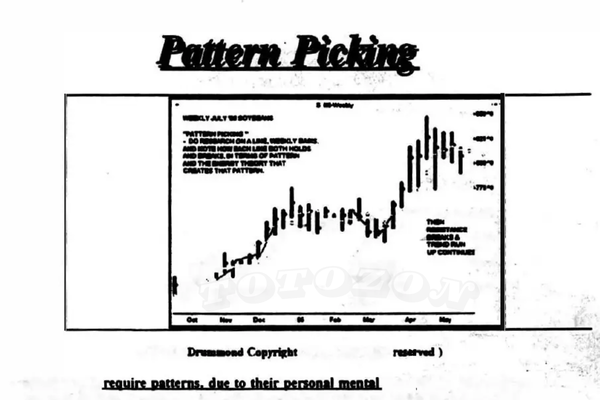 Pattern Picking with Charles Drummond
1 × $6.00
Pattern Picking with Charles Drummond
1 × $6.00 -
×
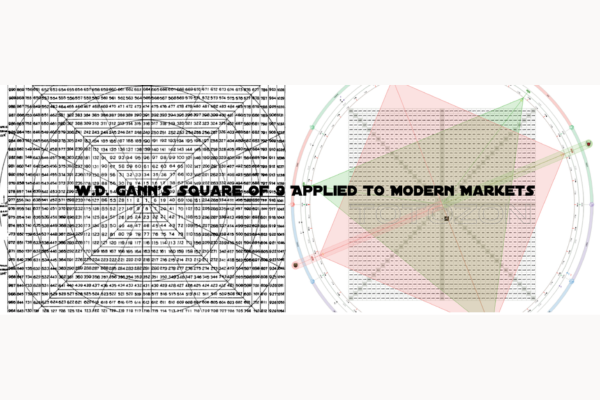 W. D Gann 's Square Of 9 Applied To Modern Markets with Sean Avidar - Hexatrade350
1 × $23.00
W. D Gann 's Square Of 9 Applied To Modern Markets with Sean Avidar - Hexatrade350
1 × $23.00 -
×
 ActiveBeta Indexes. Capturing Systematic Sources of Active Equity Returns (HTML) with Andrew Lo
1 × $6.00
ActiveBeta Indexes. Capturing Systematic Sources of Active Equity Returns (HTML) with Andrew Lo
1 × $6.00 -
×
 High Probability Trading Using Elliott Wave And Fibonacci Analysis withVic Patel - Forex Training Group
1 × $10.00
High Probability Trading Using Elliott Wave And Fibonacci Analysis withVic Patel - Forex Training Group
1 × $10.00 -
×
 Trading Economic Data System with CopperChips
1 × $6.00
Trading Economic Data System with CopperChips
1 × $6.00 -
×
 Trading Short TermSame Day Trades Sep 2023 with Dan Sheridan & Mark Fenton - Sheridan Options Mentoring
1 × $31.00
Trading Short TermSame Day Trades Sep 2023 with Dan Sheridan & Mark Fenton - Sheridan Options Mentoring
1 × $31.00 -
×
 TRADING NFX Course with Andrew NFX
1 × $5.00
TRADING NFX Course with Andrew NFX
1 × $5.00 -
×
 The Naked Eye: Raw Data Analytics with Edgar Torres - Raw Data Analytics
1 × $8.00
The Naked Eye: Raw Data Analytics with Edgar Torres - Raw Data Analytics
1 × $8.00 -
×
 Generative AI for Asset Managers Workshop Recording with Ernest Chan
1 × $55.00
Generative AI for Asset Managers Workshop Recording with Ernest Chan
1 × $55.00 -
×
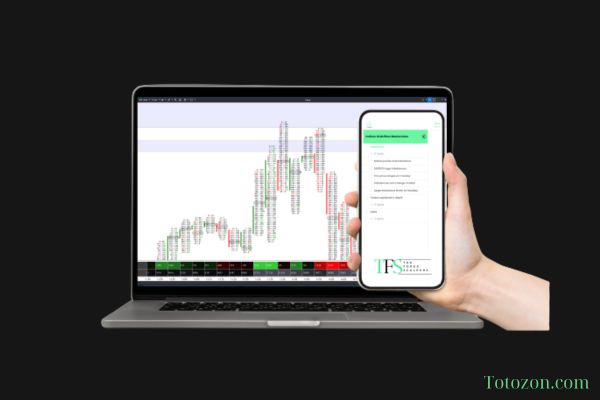 The Indices Orderflow Masterclass with The Forex Scalpers
1 × $23.00
The Indices Orderflow Masterclass with The Forex Scalpers
1 × $23.00 -
×
 Computational Financial Mathematics with Mathematica
1 × $6.00
Computational Financial Mathematics with Mathematica
1 × $6.00 -
×
 Fixed Income Securities (2nd Ed.) with Bruce Tuckman
1 × $10.00
Fixed Income Securities (2nd Ed.) with Bruce Tuckman
1 × $10.00 -
×
 CANDLESTICKS APPLIED with Steve Nison & Syl Desaulniers - Candle Charts
1 × $15.00
CANDLESTICKS APPLIED with Steve Nison & Syl Desaulniers - Candle Charts
1 × $15.00 -
×
 Sea Lanes & Pipelines with Bernard D.Cole
1 × $6.00
Sea Lanes & Pipelines with Bernard D.Cole
1 × $6.00 -
×
 The Raptor 10 Momentum Methodology Course
1 × $6.00
The Raptor 10 Momentum Methodology Course
1 × $6.00 -
×
 Crypto Trading Academy with Cheeky Investor - Aussie Day Trader
1 × $13.00
Crypto Trading Academy with Cheeky Investor - Aussie Day Trader
1 × $13.00 -
×
 Fast Start Barter System with Bob Meyer
1 × $31.00
Fast Start Barter System with Bob Meyer
1 × $31.00 -
×
 The Orderflow Masterclass with PrimeTrading
1 × $17.00
The Orderflow Masterclass with PrimeTrading
1 × $17.00 -
×
 A14 Weekly Options Strategy Workshop 2023 with Amy Meissner - Aeromir
1 × $23.00
A14 Weekly Options Strategy Workshop 2023 with Amy Meissner - Aeromir
1 × $23.00 -
×
 The Prop Trading Code with Brannigan Barrett - Axia Futures
1 × $23.00
The Prop Trading Code with Brannigan Barrett - Axia Futures
1 × $23.00 -
×
 Trading From Your Gut with Curtis Faith
1 × $6.00
Trading From Your Gut with Curtis Faith
1 × $6.00 -
×
 Complete Times Course with Afshin Taghechian
1 × $6.00
Complete Times Course with Afshin Taghechian
1 × $6.00 -
×
 SQX Mentorship with Tip Toe Hippo
1 × $23.00
SQX Mentorship with Tip Toe Hippo
1 × $23.00 -
×
 S&P 500 Secrets + Next Level Risk Management with Tradacc
1 × $8.00
S&P 500 Secrets + Next Level Risk Management with Tradacc
1 × $8.00 -
×
 Core Strategy Program + Extended Learning Track with Ota Courses
1 × $124.00
Core Strategy Program + Extended Learning Track with Ota Courses
1 × $124.00 -
×
 TradeWithChris - TWC Forex Trading Course
1 × $6.00
TradeWithChris - TWC Forex Trading Course
1 × $6.00 -
×
 Cash In On Chaos with Hans Hannula
1 × $6.00
Cash In On Chaos with Hans Hannula
1 × $6.00 -
×
 The Psychology of Risk (Audio) with Ari Kiev
1 × $6.00
The Psychology of Risk (Audio) with Ari Kiev
1 × $6.00 -
×
 Options Trading & Ultimate MasterClass With Tyrone Abela - FX Evolution
1 × $54.00
Options Trading & Ultimate MasterClass With Tyrone Abela - FX Evolution
1 × $54.00 -
×
 3 Hour Calendar Class With Bonus 3 Months Daily Analysis!
1 × $23.00
3 Hour Calendar Class With Bonus 3 Months Daily Analysis!
1 × $23.00 -
×
 Advanced Spread Trading with Guy Bower - MasterClass Trader
1 × $15.00
Advanced Spread Trading with Guy Bower - MasterClass Trader
1 × $15.00 -
×
 Quantamentals - The Next Great Forefront Of Trading and Investing with Trading Markets
1 × $8.00
Quantamentals - The Next Great Forefront Of Trading and Investing with Trading Markets
1 × $8.00 -
×
 Trade the OEX with Arthur Darack
1 × $6.00
Trade the OEX with Arthur Darack
1 × $6.00 -
×
 After Hour Trading Made Easy with Joe Duarte & Roland Burke
1 × $6.00
After Hour Trading Made Easy with Joe Duarte & Roland Burke
1 × $6.00 -
×
 Zero to Hero Course with EVO Capital
1 × $13.00
Zero to Hero Course with EVO Capital
1 × $13.00 -
×
 WondaFX Signature Strategy with WondaFX
1 × $5.00
WondaFX Signature Strategy with WondaFX
1 × $5.00 -
×
 The Best Option Trading Course with David Jaffee - Best Stock Strategy
1 × $15.00
The Best Option Trading Course with David Jaffee - Best Stock Strategy
1 × $15.00 -
×
 FasTrack Premium with Note Conference
1 × $78.00
FasTrack Premium with Note Conference
1 × $78.00 -
×
 Contrarian Investment Strategies: The Next Generation with David Dreman
1 × $4.00
Contrarian Investment Strategies: The Next Generation with David Dreman
1 × $4.00 -
×
 The Master Trader Bundle with Gareth Soloway
1 × $39.00
The Master Trader Bundle with Gareth Soloway
1 × $39.00 -
×
 An Empirical Ananlysis of Stock Market Sentiment (Article) with Andrea Terzi
1 × $6.00
An Empirical Ananlysis of Stock Market Sentiment (Article) with Andrea Terzi
1 × $6.00 -
×
 Advanced Strategies for Option Trading Success with James Bittman
1 × $6.00
Advanced Strategies for Option Trading Success with James Bittman
1 × $6.00 -
×
 The Delphi Scalper 4 - Video + Metatrader Indicators with Jason Fielder
1 × $6.00
The Delphi Scalper 4 - Video + Metatrader Indicators with Jason Fielder
1 × $6.00 -
×
 AI For Traders with Trading Markets
1 × $31.00
AI For Traders with Trading Markets
1 × $31.00
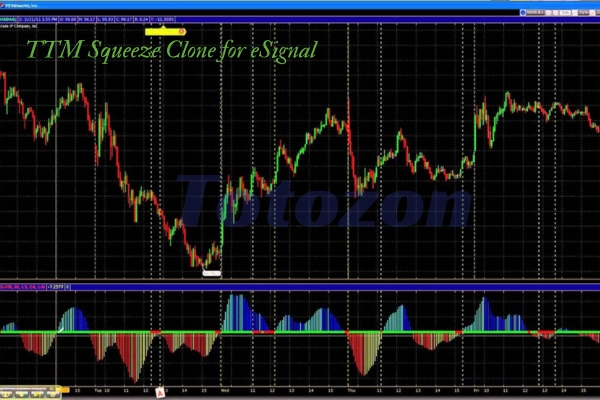
TTM Squeeze Clone for eSignal
$6.00
File Size: Coming soon!
Delivery Time: 1–12 hours
Media Type: Online Course
TTM Squeeze Clone for eSignal
Introduction to TTM Squeeze
Trading successfully requires precision, strategy, and the right tools. One such tool that has garnered attention in the trading community is the TTM Squeeze. In this article, we delve into the TTM Squeeze Clone for eSignal, a powerful indicator that helps traders identify potential breakouts in the market.
What is TTM Squeeze?
Understanding TTM Squeeze
The TTM Squeeze is an indicator developed by John Carter. It combines volatility and momentum to identify periods when the market is likely to transition from low volatility to high volatility, often leading to significant price movements.
Components of TTM Squeeze
The TTM Squeeze involves Bollinger Bands and Keltner Channels. When the Bollinger Bands move inside the Keltner Channels, it indicates a squeeze – a period of low volatility that precedes a potential breakout.
Benefits of TTM Squeeze Clone for eSignal
Why Use the Clone?
The TTM Squeeze Clone for eSignal replicates the functionality of the original TTM Squeeze but is tailored for the eSignal platform. This clone brings the power of TTM Squeeze to eSignal users, enhancing their trading toolkit.
Enhanced Analysis
Using the TTM Squeeze Clone in eSignal allows for improved market analysis. By identifying periods of low volatility, traders can anticipate significant price movements and position themselves accordingly.
Setting Up TTM Squeeze Clone on eSignal
Getting Started
To begin using the TTM Squeeze Clone for eSignal, you’ll first need to set up your eSignal platform. Ensure that you have an active subscription and the necessary permissions to install custom indicators.
Installing the Clone
Follow these steps to install the TTM Squeeze Clone:
- Download the Indicator: Obtain the TTM Squeeze Clone file compatible with eSignal.
- Open eSignal: Launch your eSignal platform.
- Add the Indicator: Navigate to the ‘Indicators’ section and add the TTM Squeeze Clone file.
- Configure Settings: Adjust the settings to match your trading strategy.
How to Use TTM Squeeze Clone
Interpreting the Signals
The TTM Squeeze Clone provides clear signals for potential market breakouts. Look for the following:
- Squeeze On: When the Bollinger Bands are inside the Keltner Channels, a squeeze is on. This is a period of low volatility.
- Squeeze Off: When the Bollinger Bands break outside the Keltner Channels, the squeeze is off, indicating a potential breakout.
Practical Application
Incorporate the TTM Squeeze Clone into your trading strategy by:
- Identifying Breakout Opportunities: Use the squeeze signals to spot potential breakout trades.
- Confirming Trends: Combine the TTM Squeeze Clone with other indicators to confirm trends and enhance trading accuracy.
- Setting Stop-Loss Levels: Use the indicator to set appropriate stop-loss levels to manage risk.
Advanced Strategies with TTM Squeeze Clone
Combining with Other Indicators
Enhance the effectiveness of the TTM Squeeze Clone by combining it with other indicators such as:
- Moving Averages: To identify trend direction.
- RSI (Relative Strength Index): To gauge momentum and overbought/oversold conditions.
Risk Management
Implementing robust risk management strategies is crucial. Use the TTM Squeeze Clone to set precise entry and exit points, thereby minimizing potential losses.
Real-Life Examples
Case Study: Successful Trade
Consider a scenario where the TTM Squeeze Clone signals a squeeze off. By entering the market at this point, a trader can capitalize on the subsequent price movement, potentially leading to substantial profits.
Lessons from Failures
Not every trade will be successful. Learn from trades where the TTM Squeeze Clone did not predict the expected breakout. Understanding these situations can refine your trading strategy.
Conclusion
Maximizing Your Trading Potential
The TTM Squeeze Clone for eSignal is a powerful tool that can significantly enhance your trading strategy. By understanding and utilizing this indicator, you can better anticipate market movements and make more informed trading decisions.
Getting Started Today
To leverage the full potential of the TTM Squeeze Clone, start by setting it up on your eSignal platform. Practice interpreting the signals and integrating the indicator into your trading strategy.
FAQs
What is the TTM Squeeze Clone for eSignal?
The TTM Squeeze Clone for eSignal is a custom indicator that replicates the TTM Squeeze’s functionality, tailored for the eSignal platform.
How does the TTM Squeeze Clone work?
It identifies periods of low volatility (squeeze on) and potential breakouts (squeeze off) using Bollinger Bands and Keltner Channels.
Can I use the TTM Squeeze Clone with other indicators?
Yes, combining it with other indicators like moving averages and RSI can enhance your market analysis.
Is the TTM Squeeze Clone suitable for all traders?
The TTM Squeeze Clone is beneficial for traders at all levels, offering clear signals for potential market movements.
Where can I download the TTM Squeeze Clone for eSignal?
You can download the TTM Squeeze Clone from various online trading forums or websites that offer eSignal custom indicators.
Be the first to review “TTM Squeeze Clone for eSignal”
You must be logged in to post a review.
Related products

Original price was: $197.00.$5.00Current price is: $5.00.
Original price was: $997.00.$13.00Current price is: $13.00.
Forex Trading
Original price was: $125.00.$17.00Current price is: $17.00.

Original price was: $4,995.00.$15.00Current price is: $15.00.
Original price was: $497.00.$11.00Current price is: $11.00.
Original price was: $139.00.$23.00Current price is: $23.00.
Original price was: $1,849.00.$15.00Current price is: $15.00.

Forex Trading
Original price was: $499.00.$15.00Current price is: $15.00.
Original price was: $2,120.00.$15.00Current price is: $15.00.
Original price was: $997.00.$8.00Current price is: $8.00.
Forex Trading
Original price was: $2,995.00.$31.00Current price is: $31.00.

Forex Trading
The Complete Guide to Multiple Time Frame Analysis & Reading Price Action with Aiman Almansoori
Original price was: $1,399.00.$13.00Current price is: $13.00.

Original price was: $695.00.$41.00Current price is: $41.00.

Forex Trading
Original price was: $1,098.00.$39.00Current price is: $39.00.
Forex Trading
Original price was: $999.00.$15.00Current price is: $15.00.

Forex Trading
Original price was: $697.00.$5.00Current price is: $5.00.

Original price was: $799.00.$15.00Current price is: $15.00.

Forex Trading
Original price was: $1,898.00.$10.00Current price is: $10.00.
Forex Trading
Original price was: $797.00.$10.00Current price is: $10.00.
Forex Trading
Original price was: $2,997.00.$23.00Current price is: $23.00.

Reviews
There are no reviews yet.