
-
×
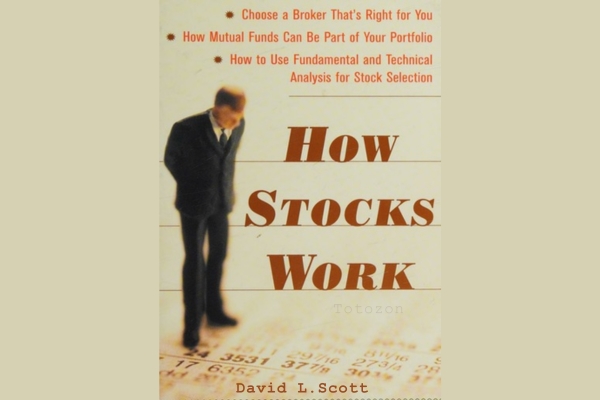 How Stocks Work with David L.Scott
1 × $6.00
How Stocks Work with David L.Scott
1 × $6.00 -
×
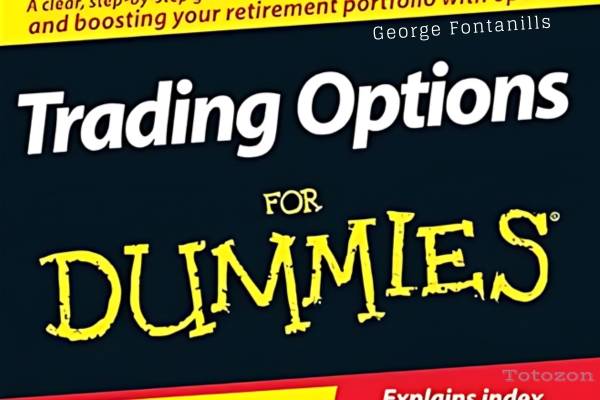 Trading Options for Dummies with George Fontanills
1 × $6.00
Trading Options for Dummies with George Fontanills
1 × $6.00 -
×
 How I Trade the QQQs with Don Miller
1 × $6.00
How I Trade the QQQs with Don Miller
1 × $6.00 -
×
 Astro-Cycles and Speculative Markets with L.J.Jensen
1 × $6.00
Astro-Cycles and Speculative Markets with L.J.Jensen
1 × $6.00 -
×
 Qualitative - Financial Statement Analysis with Sandesh Banger
1 × $5.00
Qualitative - Financial Statement Analysis with Sandesh Banger
1 × $5.00 -
×
 Tape Reading Big Caps 1 on 1 with Jtrader
1 × $6.00
Tape Reading Big Caps 1 on 1 with Jtrader
1 × $6.00 -
×
 3 Day WorkShop with HYDRA
1 × $13.00
3 Day WorkShop with HYDRA
1 × $13.00 -
×
 WondaFX Signature Strategy with WondaFX
1 × $5.00
WondaFX Signature Strategy with WondaFX
1 × $5.00 -
×
 Quantamentals - The Next Great Forefront Of Trading and Investing with Trading Markets
1 × $8.00
Quantamentals - The Next Great Forefront Of Trading and Investing with Trading Markets
1 × $8.00 -
×
 Crypto Trading Academy with Cheeky Investor - Aussie Day Trader
1 × $13.00
Crypto Trading Academy with Cheeky Investor - Aussie Day Trader
1 × $13.00 -
×
 A PLAN TO MAKE $4K MONTHLY ON $20K with Dan Sheridan - Sheridan Options Mentoring
1 × $15.00
A PLAN TO MAKE $4K MONTHLY ON $20K with Dan Sheridan - Sheridan Options Mentoring
1 × $15.00 -
×
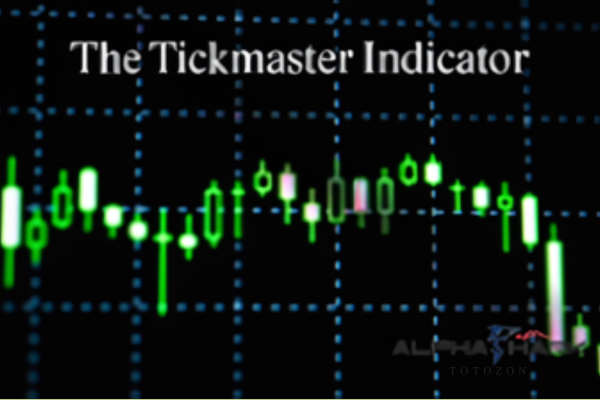 The Tickmaster Indicator
1 × $54.00
The Tickmaster Indicator
1 × $54.00 -
×
 How Do You See Risk? A Guide to Evaluating & Applying Technical Volatility Indicators class with Jeff Bierman
1 × $6.00
How Do You See Risk? A Guide to Evaluating & Applying Technical Volatility Indicators class with Jeff Bierman
1 × $6.00 -
×
 How To Scale Up Your Trading - Online Trading Seminar Replay with Austin Silver - ASFX
1 × $31.00
How To Scale Up Your Trading - Online Trading Seminar Replay with Austin Silver - ASFX
1 × $31.00 -
×
 Pivotboss Masters - Become Elite
1 × $5.00
Pivotboss Masters - Become Elite
1 × $5.00 -
×
 21 Candlesticks Every Trader Should Know with Melvin Pasternak
1 × $5.00
21 Candlesticks Every Trader Should Know with Melvin Pasternak
1 × $5.00 -
×
 Forecast 2024 Clarification with Larry Williams
1 × $15.00
Forecast 2024 Clarification with Larry Williams
1 × $15.00 -
×
 ETFs for the Long Run: What They Are, How They Work, and Simple Strategies for Successful Long-Term Investing - Lawrence Carrel
1 × $6.00
ETFs for the Long Run: What They Are, How They Work, and Simple Strategies for Successful Long-Term Investing - Lawrence Carrel
1 × $6.00 -
×
 Trading Non-Farm Payroll Report
1 × $6.00
Trading Non-Farm Payroll Report
1 × $6.00 -
×
 The Four Biggest Mistakes in Futures Trading (1st Edition) with Jay Kaeppel
1 × $6.00
The Four Biggest Mistakes in Futures Trading (1st Edition) with Jay Kaeppel
1 × $6.00 -
×
 Secrets to Picking Small Cap Winners with Gareth Soloway - InTheMoneyStocks
1 × $116.00
Secrets to Picking Small Cap Winners with Gareth Soloway - InTheMoneyStocks
1 × $116.00 -
×
 Options, Futures & Other Derivatives . Solutions Manual
1 × $6.00
Options, Futures & Other Derivatives . Solutions Manual
1 × $6.00 -
×
 Master The Art of Technical Analysis with Raul Gonzalez
1 × $31.00
Master The Art of Technical Analysis with Raul Gonzalez
1 × $31.00 -
×
 Sovereign Man Confidential
1 × $6.00
Sovereign Man Confidential
1 × $6.00 -
×
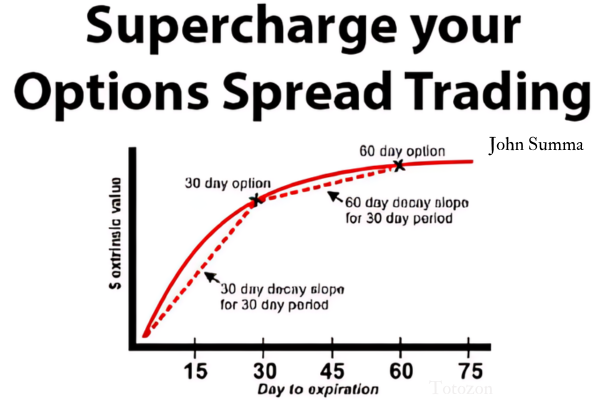 Supercharge your Options Spread Trading with John Summa
1 × $6.00
Supercharge your Options Spread Trading with John Summa
1 × $6.00 -
×
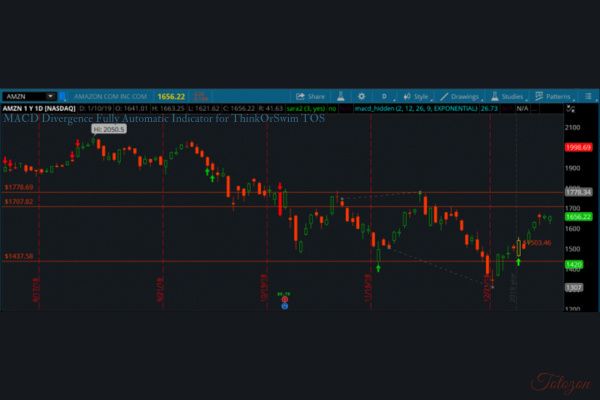 MACD Divergence Fully Automatic Indicator for ThinkOrSwim TOS
1 × $6.00
MACD Divergence Fully Automatic Indicator for ThinkOrSwim TOS
1 × $6.00 -
×
 Winning with Options with Michael Thomsett
1 × $6.00
Winning with Options with Michael Thomsett
1 × $6.00 -
×
 Advanced Spread Trading with Guy Bower - MasterClass Trader
1 × $15.00
Advanced Spread Trading with Guy Bower - MasterClass Trader
1 × $15.00 -
×
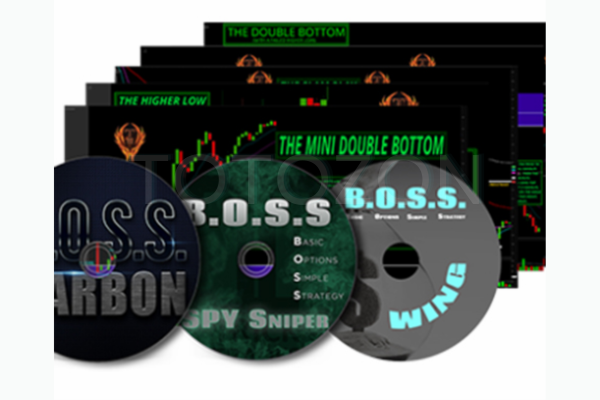 BOSSPack Course with Pat Mitchell – Trick Trades
1 × $69.00
BOSSPack Course with Pat Mitchell – Trick Trades
1 × $69.00 -
×
 How To Read The Market Professionally with TradeSmart
1 × $27.00
How To Read The Market Professionally with TradeSmart
1 × $27.00 -
×
 Best Trading Strategies Revealed - The Prosperity Trading Course (BTSR)
1 × $78.00
Best Trading Strategies Revealed - The Prosperity Trading Course (BTSR)
1 × $78.00 -
×
 Home Run Options Trading Course with Dave Aquino - Base Camp Trading
1 × $11.00
Home Run Options Trading Course with Dave Aquino - Base Camp Trading
1 × $11.00 -
×
 Avoiding Trading Mistakes with Mark D.Cook
1 × $6.00
Avoiding Trading Mistakes with Mark D.Cook
1 × $6.00 -
×
 Power Cycle Trading The Ultimate Option Guide: When & How to Use Which Option Strategy For the Best Results - Powercycletrading
1 × $69.00
Power Cycle Trading The Ultimate Option Guide: When & How to Use Which Option Strategy For the Best Results - Powercycletrading
1 × $69.00 -
×
 Bond Market Course with The Macro Compass
1 × $15.00
Bond Market Course with The Macro Compass
1 × $15.00 -
×
 DAY TRADE (LONG & SHORT) STRATEGIES PACKAGE - The Chartist
1 × $272.00
DAY TRADE (LONG & SHORT) STRATEGIES PACKAGE - The Chartist
1 × $272.00 -
×
 Algo Trading Masterclass with Ali Casey - StatOasis
1 × $23.00
Algo Trading Masterclass with Ali Casey - StatOasis
1 × $23.00 -
×
 A Treasure House of Bayer. 32 Articles and Forecasts with George Bayer
1 × $6.00
A Treasure House of Bayer. 32 Articles and Forecasts with George Bayer
1 × $6.00 -
×
 TRADING NFX Course with Andrew NFX
1 × $5.00
TRADING NFX Course with Andrew NFX
1 × $5.00 -
×
 Uncover Resilient Stocks in Today’s Market with Peter Worden
1 × $6.00
Uncover Resilient Stocks in Today’s Market with Peter Worden
1 × $6.00 -
×
 The Orderflows Trade Opportunities Encyclopedia with Michael Valtos
1 × $8.00
The Orderflows Trade Opportunities Encyclopedia with Michael Valtos
1 × $8.00
Reverse Engineering Deals on Wall Street with Microsoft Excel with Keith Allman
$6.00
File Size: Coming soon!
Delivery Time: 1–12 hours
Media Type: Online Course
Content Proof: Watch Here!
You may check content proof of “Reverse Engineering Deals on Wall Street with Microsoft Excel with Keith Allman” below:

Reverse Engineering Deals on Wall Street with Microsoft Excel with Keith Allman
Introduction
Reverse engineering deals on Wall Street can seem like a daunting task. However, with the right tools and guidance, it becomes a manageable and insightful process. Keith Allman, a renowned expert in financial modeling, demonstrates how Microsoft Excel can be utilized to deconstruct and understand complex financial deals. This article will provide a comprehensive guide on how to effectively reverse engineer Wall Street deals using Excel.
What is Reverse Engineering in Finance?
Definition
Reverse engineering in finance involves deconstructing a financial deal to understand its underlying components and mechanics. This process allows analysts to see how the deal was structured, its value drivers, and potential risks.
Importance
Understanding the structure of financial deals helps in better risk assessment, improving negotiation strategies, and creating more effective financial models.
The Role of Microsoft Excel
Why Use Excel?
Microsoft Excel is a powerful tool for financial analysis due to its versatility and wide range of functions. It allows for detailed data manipulation, complex calculations, and clear visualizations.
Key Features
- Data Analysis Tools: Excel provides numerous functions for statistical analysis and data manipulation.
- Visualization: Charts, graphs, and pivot tables help in visualizing data clearly.
- Automation: Macros and VBA can automate repetitive tasks, saving time and reducing errors.
Getting Started with Excel for Financial Analysis
Setting Up Your Workbook
Start by organizing your Excel workbook. Create separate sheets for raw data, calculations, and visualizations. This helps keep your analysis structured and easy to follow.
Importing Data
Import the financial data related to the deal. This could include financial statements, market data, and transaction details. Ensure the data is clean and formatted correctly for analysis.
Key Steps in Reverse Engineering Deals
Step 1: Understanding the Deal Structure
Begin by outlining the basic structure of the deal. Identify the key components such as the type of deal (e.g., merger, acquisition), the parties involved, and the financial instruments used.
Step 2: Breaking Down Financial Statements
Analyze the financial statements of the entities involved. Look for key metrics such as revenue, expenses, profit margins, and cash flow. This will help you understand the financial health of the parties.
Step 3: Identifying Value Drivers
Identify the main value drivers of the deal. These could include market conditions, synergies, cost savings, or revenue enhancements. Use Excel functions like SUM, AVERAGE, and VLOOKUP to calculate and analyze these drivers.
Step 4: Analyzing Deal Terms
Examine the terms of the deal, including payment structures, interest rates, and timelines. Use Excel’s financial functions such as NPV (Net Present Value) and IRR (Internal Rate of Return) to evaluate the financial impact of these terms.
Step 5: Building a Financial Model
Create a financial model in Excel to simulate the deal. This model should include all relevant financial data, assumptions, and projections. Use Excel’s modeling capabilities to forecast future performance and assess the deal’s viability.
Advanced Techniques in Excel
Using Pivot Tables
Pivot tables are an excellent tool for summarizing large datasets and extracting meaningful insights. Use pivot tables to analyze trends, compare financial metrics, and segment data by different dimensions.
Implementing Macros and VBA
Macros and VBA (Visual Basic for Applications) can automate repetitive tasks and enhance your financial models. For example, you can create a macro to update your financial model with new data automatically.
Sensitivity Analysis
Perform sensitivity analysis to understand how changes in key assumptions impact the deal. Use Excel’s Data Table feature to create sensitivity tables and charts.
Practical Application: A Case Study
Example Deal: XYZ Acquisition
Let’s consider an example where Company A acquires Company B. We will use Excel to reverse engineer this deal.
Step-by-Step Analysis
- Import Financial Data: Import the financial statements of both companies into Excel.
- Calculate Key Metrics: Use Excel formulas to calculate revenue growth, profit margins, and cash flows.
- Analyze Deal Terms: Evaluate the payment structure and financing terms using NPV and IRR functions.
- Build the Model: Create a financial model to simulate the post-acquisition performance.
Conclusion
Reverse engineering deals on Wall Street with Microsoft Excel is a powerful way to gain insights into complex financial transactions. By understanding the deal structure, breaking down financial statements, and building detailed models, you can uncover the true value and risks associated with any deal. Keith Allman’s approach provides a robust framework for using Excel in financial analysis, helping both novice and experienced analysts enhance their skills.
FAQs
1. What is reverse engineering in finance?
Reverse engineering in finance involves deconstructing financial deals to understand their structure, value drivers, and potential risks.
2. Why use Microsoft Excel for financial analysis?
Excel is versatile and offers powerful data analysis, visualization, and automation tools, making it ideal for financial analysis.
3. What are the key steps in reverse engineering a deal?
Key steps include understanding the deal structure, breaking down financial statements, identifying value drivers, analyzing deal terms, and building a financial model.
4. How can pivot tables help in financial analysis?
Pivot tables summarize large datasets, allowing analysts to extract meaningful insights and compare different financial metrics.
5. What is the role of sensitivity analysis in financial modeling?
Sensitivity analysis helps assess how changes in key assumptions impact the deal’s outcomes, providing a better understanding of potential risks and returns.
Be the first to review “Reverse Engineering Deals on Wall Street with Microsoft Excel with Keith Allman”
You must be logged in to post a review.
Related products
Original price was: $1,800.00.$54.00Current price is: $54.00.

Original price was: $695.00.$41.00Current price is: $41.00.
Forex Trading
The Complete Guide to Multiple Time Frame Analysis & Reading Price Action with Aiman Almansoori
Original price was: $1,399.00.$13.00Current price is: $13.00.
Original price was: $799.00.$15.00Current price is: $15.00.
Original price was: $2,120.00.$15.00Current price is: $15.00.

Forex Trading
Original price was: $1,098.00.$39.00Current price is: $39.00.

Forex Trading
Original price was: $850.00.$23.00Current price is: $23.00.
Original price was: $497.00.$11.00Current price is: $11.00.
Original price was: $895.00.$15.00Current price is: $15.00.
Forex Trading
Original price was: $999.00.$15.00Current price is: $15.00.

Original price was: $1,849.00.$15.00Current price is: $15.00.

Original price was: $197.00.$5.00Current price is: $5.00.
Original price was: $497.00.$31.00Current price is: $31.00.
Original price was: $139.00.$23.00Current price is: $23.00.

Forex Trading
Original price was: $799.00.$15.00Current price is: $15.00.

Original price was: $999.00.$5.00Current price is: $5.00.

Forex Trading
Original price was: $1,898.00.$10.00Current price is: $10.00.
Forex Trading
Original price was: $239.00.$8.00Current price is: $8.00.
Original price was: $450.00.$23.00Current price is: $23.00.

Forex Trading
Original price was: $2,997.00.$23.00Current price is: $23.00.
Reviews
There are no reviews yet.