
-
×
 Gann Trade Real Time with Larry B.Jacobs
1 × $6.00
Gann Trade Real Time with Larry B.Jacobs
1 × $6.00 -
×
 Million Dollar Stock Market Idea with Larry Williams
1 × $6.00
Million Dollar Stock Market Idea with Larry Williams
1 × $6.00 -
×
 Equity Valuation for Analysts and Investors: A Unique Stock Valuation Tool for Financial Statement Analysis and Model-Building with James Kelleher
1 × $6.00
Equity Valuation for Analysts and Investors: A Unique Stock Valuation Tool for Financial Statement Analysis and Model-Building with James Kelleher
1 × $6.00 -
×
 Formula to a Fortune with Steve Briese, Glen Ring
1 × $6.00
Formula to a Fortune with Steve Briese, Glen Ring
1 × $6.00 -
×
 Master Fibonacci, Symmetry & Consistent Profitable Trading with Day Trading Zones
1 × $23.00
Master Fibonacci, Symmetry & Consistent Profitable Trading with Day Trading Zones
1 × $23.00 -
×
 Equities with Peter Martin
1 × $6.00
Equities with Peter Martin
1 × $6.00 -
×
 Options Trading. The Hidden Reality Course with Charles Cottle
1 × $6.00
Options Trading. The Hidden Reality Course with Charles Cottle
1 × $6.00 -
×
 Capital Asset Investment with Anthony F.Herbst
1 × $6.00
Capital Asset Investment with Anthony F.Herbst
1 × $6.00 -
×
 Forex Trader Package 2010
1 × $15.00
Forex Trader Package 2010
1 × $15.00 -
×
 Geometry of Markets I with Bruce Gilmore
1 × $6.00
Geometry of Markets I with Bruce Gilmore
1 × $6.00 -
×
 Starting Out in Futures Trading with Mark Powers
1 × $6.00
Starting Out in Futures Trading with Mark Powers
1 × $6.00 -
×
 RSI Unleashed: Building a Comprehensive Trading Framework By Doc Severson
1 × $6.00
RSI Unleashed: Building a Comprehensive Trading Framework By Doc Severson
1 × $6.00 -
×
 Traders Winning Edge with Adrienne Laris Toghraie
1 × $6.00
Traders Winning Edge with Adrienne Laris Toghraie
1 × $6.00 -
×
 Candlesticks Explained with Martin Pring
1 × $6.00
Candlesticks Explained with Martin Pring
1 × $6.00 -
×
 Flux Investor Package v2.2.1, (Jan 2016) with Back To The Future Trading
1 × $85.00
Flux Investor Package v2.2.1, (Jan 2016) with Back To The Future Trading
1 × $85.00 -
×
 Cash Flow Investing Course
1 × $20.00
Cash Flow Investing Course
1 × $20.00 -
×
 The Insider's Guide to 52 Homes in 52 Weeks: Acquire Your Real Estate Fortune Today with Dolf De Roos
1 × $6.00
The Insider's Guide to 52 Homes in 52 Weeks: Acquire Your Real Estate Fortune Today with Dolf De Roos
1 × $6.00 -
×
 Hands On Training Bundle with Talkin Options
1 × $23.00
Hands On Training Bundle with Talkin Options
1 × $23.00 -
×
 Forex Mentor 2007 with Peter Bain
1 × $6.00
Forex Mentor 2007 with Peter Bain
1 × $6.00 -
×
 Foundational Chart Analysis Series: Support / Resistance Techniques of Professional Traders 6 DVD Home Study Course
1 × $54.00
Foundational Chart Analysis Series: Support / Resistance Techniques of Professional Traders 6 DVD Home Study Course
1 × $54.00 -
×
 Complete Day Trading Course with The Trading Floor
1 × $13.00
Complete Day Trading Course with The Trading Floor
1 × $13.00 -
×
 CAT 2007 Seminar with Stephen W.Bigalow
1 × $6.00
CAT 2007 Seminar with Stephen W.Bigalow
1 × $6.00 -
×
 The A14 Weekly Option Strategy Workshop with Amy Meissner
1 × $23.00
The A14 Weekly Option Strategy Workshop with Amy Meissner
1 × $23.00 -
×
 Pocketing Premium Master Class (Basic) with Henrry Gambell
1 × $31.00
Pocketing Premium Master Class (Basic) with Henrry Gambell
1 × $31.00 -
×
 The Professional Risk Manager Handbook with Carol Alexander
1 × $6.00
The Professional Risk Manager Handbook with Carol Alexander
1 × $6.00 -
×
 How I Turned 500 USD to 6 Figures in 2 months Trading Options with The Money Printers
1 × $8.00
How I Turned 500 USD to 6 Figures in 2 months Trading Options with The Money Printers
1 × $8.00 -
×
 Simpler Options - Insider’s Guide to Generating Income using Options Strategies Course (Oct 2014)
1 × $6.00
Simpler Options - Insider’s Guide to Generating Income using Options Strategies Course (Oct 2014)
1 × $6.00 -
×
 Tornado Trend Trading System with John Bartlett
1 × $6.00
Tornado Trend Trading System with John Bartlett
1 × $6.00 -
×
 Building Your E-Mini Trading Strategy with Daniel Gramza
1 × $6.00
Building Your E-Mini Trading Strategy with Daniel Gramza
1 × $6.00 -
×
 Complete Short Black Scholes Options Trading Pricing Course
1 × $6.00
Complete Short Black Scholes Options Trading Pricing Course
1 × $6.00 -
×
 Ichimoku Cloud Trading System Class with Jeff Bierman
1 × $6.00
Ichimoku Cloud Trading System Class with Jeff Bierman
1 × $6.00 -
×
 Access All Areas with Marwood Research
1 × $54.00
Access All Areas with Marwood Research
1 × $54.00 -
×
 Traders Workshop – Forex Full Course with Jason Stapleton
1 × $6.00
Traders Workshop – Forex Full Course with Jason Stapleton
1 × $6.00 -
×
 Master Moving Averages - Profit Multiplying Techniques with Nick Santiago - InTheMoneyStocks
1 × $54.00
Master Moving Averages - Profit Multiplying Techniques with Nick Santiago - InTheMoneyStocks
1 × $54.00 -
×
 Ultimate Trading Course with Dodgy's Dungeon
1 × $8.00
Ultimate Trading Course with Dodgy's Dungeon
1 × $8.00 -
×
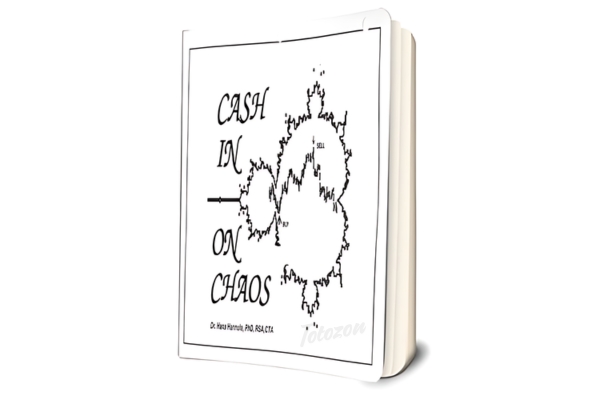 Cash In On Chaos with Hans Hannula
1 × $6.00
Cash In On Chaos with Hans Hannula
1 × $6.00 -
×
 CANDLESTICKS APPLIED with Steve Nison & Syl Desaulniers - Candle Charts
1 × $15.00
CANDLESTICKS APPLIED with Steve Nison & Syl Desaulniers - Candle Charts
1 × $15.00 -
×
 Essential Stock Picking Strategies with Daniel Strachman
1 × $6.00
Essential Stock Picking Strategies with Daniel Strachman
1 × $6.00 -
×
 Follow the Leader Trading System with Anthony Gibson
1 × $6.00
Follow the Leader Trading System with Anthony Gibson
1 × $6.00 -
×
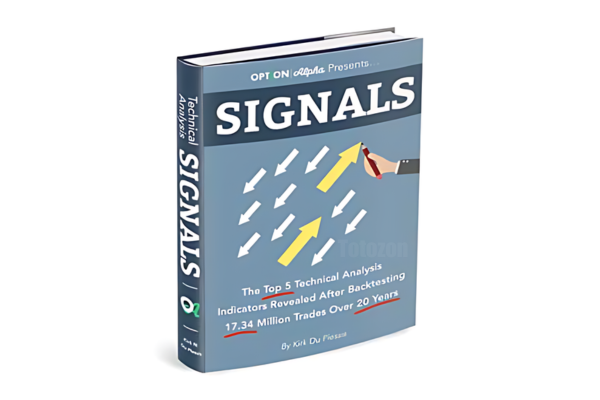 Signals
1 × $6.00
Signals
1 × $6.00 -
×
 How Do You Read Charts? A Guide to Classic Price Pattern Recognition Class with Professor Jeff Bierman
1 × $6.00
How Do You Read Charts? A Guide to Classic Price Pattern Recognition Class with Professor Jeff Bierman
1 × $6.00 -
×
 Passages To Profitability: A Comprehensive Guide To Channel Trading with Professor Jeff Bierman, CMT
1 × $6.00
Passages To Profitability: A Comprehensive Guide To Channel Trading with Professor Jeff Bierman, CMT
1 × $6.00 -
×
 Crypto Trading Academy with Cheeky Investor - Aussie Day Trader
1 × $13.00
Crypto Trading Academy with Cheeky Investor - Aussie Day Trader
1 × $13.00

How To Build An Automated Trading Robot In Excel with Peter Titus – Marwood Research
Original price was: $125.00.$15.00Current price is: $15.00.
File Size: 826 MB
Delivery Time: 1–12 hours
Media Type: Online Course
Content Proof: Watch Here!
You may check content proof of “How To Build An Automated Trading Robot In Excel with Peter Titus – Marwood Research ” below:
How To Build An Automated Trading Robot In Excel By Peter Titus – Marwood Research
Introduction
In today’s fast-paced financial markets, automated trading systems have become increasingly popular. Building an automated trading robot in Excel, as taught by Peter Titus at Marwood Research, provides an accessible entry point for traders looking to streamline their strategies. This guide will walk you through the process, from understanding the basics to creating a functional trading robot.
Understanding Automated Trading
What Is Automated Trading?
Automated trading involves using software to execute trades based on pre-set criteria. This can include technical indicators, price patterns, or other market signals.
Why Use Excel for Automated Trading?
Excel is a versatile tool that many traders already use for data analysis. Its robust functionalities, combined with VBA (Visual Basic for Applications), make it an excellent choice for developing automated trading systems.
Getting Started with Excel
Setting Up Your Excel Workspace
Before diving into the coding, it’s essential to set up your Excel workspace. Ensure you have the Developer tab enabled to access VBA.
Installing Necessary Add-ins
Some functionalities might require additional add-ins. Ensure you have the Analysis ToolPak and Solver Add-ins installed.
Basic Concepts in VBA
What Is VBA?
VBA stands for Visual Basic for Applications. It’s a programming language integrated into Excel that allows users to automate tasks and develop complex models.
Writing Your First VBA Code
Start with a simple macro to get familiar with the syntax and structure of VBA code.
Understanding Variables and Data Types
Variables store data that your program can manipulate. Understanding different data types is crucial for efficient programming.
Designing Your Trading Strategy
Choosing Indicators
Select technical indicators that will form the basis of your trading strategy. Common choices include moving averages, RSI, and MACD.
Defining Entry and Exit Rules
Clearly define the conditions under which your robot will enter and exit trades. This step is critical for the success of your automated system.
Building the Trading Robot
Creating a User Interface
Develop a user-friendly interface where you can input parameters like stock symbols, time frames, and indicator settings.
Writing the Core Logic
This part involves coding the main logic of your trading robot. It includes fetching data, applying indicators, and making trading decisions.
Backtesting Your Strategy
Before deploying your robot in live markets, backtest it using historical data to ensure it performs as expected.
Advanced Features
Implementing Risk Management
Incorporate risk management techniques like stop-loss and take-profit levels to safeguard your capital.
Adding Alert Mechanisms
Set up email or SMS alerts to notify you of critical events, such as trade executions or system errors.
Deploying Your Trading Robot
Testing in a Live Environment
Start with a demo account to test your robot in real-time market conditions without risking real money.
Monitoring and Maintenance
Regularly monitor your trading robot to ensure it operates correctly and make necessary adjustments as market conditions change.
Troubleshooting Common Issues
Debugging VBA Code
Learn to use Excel’s debugging tools to identify and fix errors in your code.
Optimizing Performance
Optimize your code and Excel settings to enhance the performance of your trading robot.
Conclusion
Building an automated trading robot in Excel with guidance from Peter Titus at Marwood Research is a powerful way to enhance your trading capabilities. By following the steps outlined in this guide, you can create a functional and efficient trading system that leverages the power of automation to achieve your financial goals.
Commonly Asked Questions:
- Business Model Innovation: Accept the truth of a legitimate business! Our strategy is organising a group buy in which participants share the costs. We use these cash to acquire popular courses from sale pages and make them available to people with limited financial resources. Despite the authors’ worries, our clients love the cost and accessibility we give.
- The Legal Environment: Yes or No The legality of our activity is ambiguous. While we don’t have specific permission from the course authors to resell the material, there is a technicality at work. The author did not specify any limits on resale when purchasing the course. This legal intricacy is both an opportunity for us and a boon for individuals looking for low-cost access.
- Quality Control: Uncovering the Truth
Getting to the heart of the issue – quality. Purchasing the course straight from the sale page guarantees that all documents and resources are the same as those obtained through traditional channels.
However, we distinguish ourselves by going beyond personal research and resale. It is crucial to note that we are not the official course providers, which means that the following premium services are not included in our package:
- There are no scheduled coaching calls or sessions with the author.
- Access to the author’s private Facebook group or web portal is not permitted.
- No access to the author’s private membership forum.
- There is no direct email support available from the author or their team.
We operate independently, with the goal of bridging the pricing gap without the extra services provided by official course channels. Your comprehension of our distinct approach is much appreciated.
Be the first to review “How To Build An Automated Trading Robot In Excel with Peter Titus – Marwood Research”
You must be logged in to post a review.
Related products
Original price was: $197.00.$5.00Current price is: $5.00.
Forex Trading
Original price was: $397.00.$31.00Current price is: $31.00.

Forex Trading
Original price was: $799.00.$15.00Current price is: $15.00.

Original price was: $999.00.$5.00Current price is: $5.00.

Original price was: $649.00.$20.00Current price is: $20.00.
Original price was: $695.00.$41.00Current price is: $41.00.

Forex Trading
Original price was: $4,997.00.$27.00Current price is: $27.00.
Original price was: $450.00.$23.00Current price is: $23.00.

Forex Trading
Original price was: $249.00.$15.00Current price is: $15.00.
Forex Trading
Original price was: $239.00.$8.00Current price is: $8.00.
Original price was: $139.00.$23.00Current price is: $23.00.

Forex Trading
Original price was: $499.00.$15.00Current price is: $15.00.
Original price was: $997.00.$8.00Current price is: $8.00.
Original price was: $299.00.$8.00Current price is: $8.00.

Forex Trading
Original price was: $125.00.$17.00Current price is: $17.00.

Original price was: $1,849.00.$15.00Current price is: $15.00.
Forex Trading
Original price was: $999.00.$15.00Current price is: $15.00.
Original price was: $497.00.$31.00Current price is: $31.00.
Forex Trading
Quantamentals – The Next Great Forefront Of Trading and Investing with Trading Markets
Original price was: $1,495.00.$8.00Current price is: $8.00.

Forex Trading
Original price was: $850.00.$23.00Current price is: $23.00.

Reviews
There are no reviews yet.